

Quick answer
A real-time dashboard updates automatically as new data arrives — showing live orders, transactions, inventory levels, and operational events without manual refresh. Unlike traditional dashboards that display yesterday's data, real-time dashboards show what's happening now, enabling teams to catch stockouts, SLA breaches, and revenue dips as they occur.
A real-time dashboard is the difference between reacting to yesterday's problems and preventing today's. It transforms business intelligence from a review tool into an operational tool.
How Real-Time Dashboards Work
Traditional dashboard data flow:
- Data updated in source system (ERP, CRM, POS)
- Manual export to Excel or scheduled batch job runs
- Data refreshes once per day (or less frequently)
- Users view yesterday's data (or last week's)
Real-time dashboard data flow:
- Data updated in source system
- Direct database connection or streaming data pipeline
- Dashboard updates within seconds to minutes
- Users see current state of the business
The key technical difference is the data connection method: real-time dashboards use live database connections, APIs, or event streaming — not scheduled batch exports.
Types of Real-Time Dashboards
Operational real-time dashboards update every few seconds to minutes — used for live monitoring of orders, transactions, production, or customer service queues.
Near-real-time dashboards update every 15–60 minutes — appropriate for most business metrics where hourly visibility is sufficient.
Intraday dashboards refresh every few hours — showing today's cumulative progress vs target, updated periodically rather than continuously.
What to Show on a Real-Time Dashboard
The value of a real-time dashboard depends on what you monitor. High-value real-time metrics include:
- E-commerce: Orders placed in the last hour, cart abandonment rate, payment failures — e.g., catching a payment gateway outage losing ₹2 lakh/hour
- Retail: Today's sales by store vs target, inventory levels for top SKUs
- Manufacturing: Units produced per shift vs plan, machine downtime events
- Distribution: Live dispatch status, pending orders aging, delivery SLA compliance
- Call centre: Queue length, agents on call, average wait time
Real-Time Dashboards for Indian Businesses
Indian businesses face specific scenarios where real-time visibility has outsized value:
- Tally-connected dashboards — every voucher posted in Tally (sales, purchase, receipt) reflects instantly on the dashboard, replacing end-of-day Excel exports
- Festival season operations — during Diwali, Navratri, or end-of-quarter rushes, order volumes spike 3–5x; real-time tracking prevents fulfillment failures
- Multi-branch retail — a retailer with 15 stores across Maharashtra needs live sales vs target by store to redirect inventory or staff intraday
- Cash flow monitoring — for businesses managing ₹50 lakh+ monthly cash flow, real-time visibility into collections and payments prevents liquidity surprises
Example: A Delhi-based FMCG distributor processing 800+ orders/day uses FireAI's real-time dashboard connected to Tally — tracking live dispatch rates, flagging orders pending beyond 4 hours, and monitoring ₹1.2 crore daily collections against target.
How to Build a Real-Time Dashboard with FireAI
- Connect your live data source — FireAI's native Tally connector provides real-time sync; 700+ additional connectors for databases, ERPs, CRMs, and Google Sheets
- Pick a pre-built real-time template — includes live KPI cards, intraday trend charts, and alert panels
- Ask questions as they happen — use NLQ in Hindi or English: "आज कितने orders dispatch हुए?" or "Show today's revenue vs yesterday at this time"
- Set instant alerts — configure Slack or email notifications when metrics breach thresholds (e.g., "Alert if fulfillment rate drops below 90% by noon")
- Display on a TV dashboard — FireAI supports always-on display mode for factory floors, dispatch rooms, and operations centres
Starts at ₹4,999/month — zero-code setup, no BI developer needed.
When Real-Time Dashboards Are Worth the Investment
Real-time visibility is most valuable when:
- Fast action has significant value: Knowing a stockout is happening right now (vs discovering it tomorrow) prevents lost sales
- Operations run 24/7: Night shifts and weekends need data visibility as much as business hours
- Volume is high: 10,000 orders per day benefits from real-time tracking; 50 orders per week may not
- SLAs have penalties: When missing delivery commitments or service levels has contractual consequences
Real-time dashboards are probably not worth the investment when:
- Decisions are made weekly or monthly anyway
- Data volumes are low and manual checking is sufficient
- The cost of real-time integration exceeds the value of faster response
Ready to act on your data?
See how teams use FireAI to ask in plain language and get analytics they can trust.
Explore FireAI workflows
Go from this topic into product features and solution paths that match what you read here.
Topic hub
Dashboard And Reporting
Practical content on KPI dashboards, executive reporting, trend analysis, charts, and reporting automation.
Explore hubFrequently asked questions
How is a real-time dashboard different from a regular dashboard?
A regular dashboard typically refreshes daily or on-demand. A real-time dashboard automatically updates as new data arrives — every few seconds to minutes — without any user action. Real-time dashboards require a live connection to the source system. FireAI provides this via native Tally integration and 700+ database connectors.
What technology powers real-time dashboards?
Real-time dashboards use live database connections, REST APIs, or event streaming to receive data as it changes. FireAI abstracts this complexity — you connect to Tally, your database, or other sources and the dashboard updates automatically. No Kafka setup or custom pipelines needed.
Does my business need a real-time dashboard?
Your business needs a real-time dashboard if: you have high transaction volume (500+ orders/day), you operate across multiple locations or shifts, your team makes operational decisions multiple times per day, or fast response to stockouts and SLA breaches creates competitive advantage. Smaller businesses may get sufficient value from daily refresh dashboards.
Can I get a real-time dashboard from Tally without coding?
Yes. FireAI connects natively to Tally and creates real-time dashboards that update as vouchers are posted — no manual export, no scheduled batch jobs, no coding. Sales, purchases, receipts, inventory movements, and party ledger data all flow live into your dashboard starting at ₹4,999/month.
How much does a real-time dashboard cost for Indian SMBs?
Traditional BI tools like Power BI or Tableau require a BI developer (₹50,000–₹1,00,000/month) plus licensing. FireAI provides real-time dashboards with native Tally integration, NLQ in Hindi/English, and zero-code builder starting at ₹4,999/month — making real-time BI accessible to businesses doing ₹1 crore+ annual revenue.
Related in this topic
What is an Operations Dashboard? Key Metrics
An operations dashboard is a real-time visual display of operational KPIs — production, logistics, fulfillment, and service metrics — that helps operations teams manage daily performance. Learn what an operations dashboard includes and how to build one.
What is a KPI Dashboard? Definition and Examples
A KPI dashboard is a visual display of key performance indicators that gives business leaders an at-a-glance view of performance against goals. Learn what KPI dashboards include, how to build one, and see examples across sales, finance, and operations.
What is an Inventory Dashboard? Metrics and Features
An inventory dashboard provides real-time visibility into stock levels, turnover, reorder alerts, and dead stock. Learn what metrics belong in an inventory dashboard and how Indian businesses can build one from Tally or their ERP.
What is a Sales Dashboard? Metrics and Examples
A sales dashboard is a visual tool that displays real-time sales performance metrics — revenue, pipeline, win rate, and team performance — on a single screen. Learn what to include in a sales dashboard and how to build one.
From the blog

How a Modern Analytics Platform Transforms Business Intelligence
Why faster decision-making, real-time analytics, and AI-driven intelligence separate market leaders from laggards—and how Fire AI closes the gap between data and action.
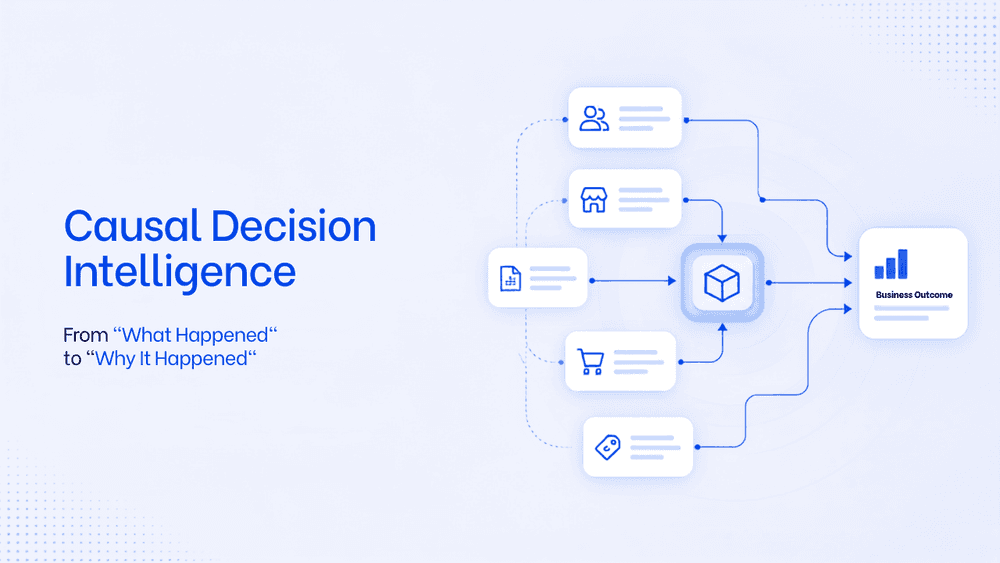
What Is Causal Decision Intelligence? A Framework To Move From "What Happened" to "Why It Happened"
Business intelligence tools are limited in their capability to find the root cause and the trigger behind it. Causal decision intelligence is the AI layer that helps business take faster, smarter decision with an auditable explanation. This will transform the way business analyse data and strategise on teh next actionable steps.

What is a KPI dashboard and why does every Indian business need one?
Still piecing together your business numbers from WhatsApp messages and old Excel files? Here is why a KPI dashboard changes everything for Indian businesses.