

Quick answer
Tally's native reports are static, text-based, and limited to single-period views — inadequate for strategic decisions. BI tools like FireAI add visual dashboards, multi-period trend analysis, cross-company consolidation, automated alerts, and natural language queries on top of Tally data — with one-click setup and zero coding required.
Tally users need business intelligence because Tally's native reports, while accurate for accounting, were never designed for analytical decision-making. They're static, text-heavy, single-period views that require manual effort to extract any strategic insight. BI fills the gap between what Tally captures and what business leaders need to see.
Tally is exceptional at what it does — accounting, voucher management, statutory compliance, and transaction recording. Over 7 million Indian businesses rely on it. But there's a fundamental difference between an accounting system and an analytics platform. Tally is the former. BI is the latter. You need both.
The 7 Limitations of Tally's Native Reports
1. No Visual Dashboards
Tally reports are text-based tables with numbers. No bar charts, no line graphs, no heatmaps, no KPI scorecards. Humans process visual information dramatically faster than tables of numbers. A declining margin trend that's invisible in a Tally P&L becomes obvious in a line chart.
2. Single-Period View
Tally shows one period at a time. Want to compare this month vs last month? Run two reports and manually compare. Want a 12-month trend? Run 12 reports. BI shows all periods on a single chart, making trends, seasonality, and anomalies immediately visible.
3. No Cross-Company Consolidation
Indian businesses commonly run multiple Tally companies — one per branch, entity, or GST registration. In Tally, you view each company separately. BI consolidates all companies into one unified dashboard — total group revenue, combined inventory, company-wise profitability comparison.
4. No Automated Alerts
Tally doesn't watch your data and tell you when something needs attention. It waits for you to open a report. BI platforms proactively alert you when:
- Cash drops below a threshold
- A customer's outstanding exceeds their credit limit
- Monthly expenses exceed budget
- Inventory for a fast-moving item runs low
5. No Natural Language Queries
You can't ask Tally a question. You navigate menus, select reports, and interpret data yourself. With AI-powered BI, you type "What were my top 10 products by profit margin last quarter?" and get an instant visual answer.
6. No Mobile Access
Tally runs on a desktop. Business owners, sales managers, and CXOs who are travelling, in meetings, or away from their desk can't check reports. BI dashboards work on any phone or tablet — your business data is always accessible.
7. No Predictive Analytics
Tally shows history. BI uses that history to predict the future — cash flow forecasts, demand projections, collection probability. This moves you from reactive (seeing what happened) to proactive (preparing for what will happen).
What BI Adds to Tally Data
| Business Need | Tally Alone | Tally + BI |
|---|---|---|
| "How is my business doing?" | Run P&L manually, read text table | Glance at visual dashboard on phone |
| "Which customers owe me the most?" | Open Sundry Debtors, scroll through list | Sorted bar chart with ageing colours |
| "Is my margin improving?" | Compare two P&L reports manually | 12-month trend line on one chart |
| "Alert me if cash runs low" | Not possible | Automatic alert via email |
| "Consolidate 3 branches" | Not possible without manual Excel work | Automatic consolidation in BI |
| "What will cash flow look like next month?" | Not possible | AI forecast based on patterns |
| "Why did expenses spike?" | Manually drill into each ledger | Causal analysis with AI |
Who in the Organisation Needs This
Business Owners / MDs
The MD of a manufacturing company doesn't have time to sit at the Tally machine and run reports. They need a mobile dashboard showing revenue, margins, cash position, and receivables — updated in real time. BI provides exactly this.
CFOs and Finance Heads
Finance leaders need trend analysis, budget vs actual variance, working capital ratios, and cash flow forecasts. Tally reports provide the raw data but not the analytical view. BI transforms this data into the strategic financial intelligence CFOs need for board presentations and planning.
Sales Managers
Sales managers need to see customer-wise revenue, territory performance, product mix, and growth trends. Tally's sales register is a flat list of vouchers — BI turns it into actionable sales analytics with filters, drill-downs, and comparisons.
Accountants
Even accountants benefit. Instead of spending 3–5 hours building monthly MIS reports from Tally exports, they get automated dashboards and can focus on analysis, compliance, and advisory work.
CAs and Auditors
External CAs typically receive Tally data via email — trial balance, P&L, balance sheet in Excel format. With BI, they can get shared dashboard access with live data, reducing back-and-forth communication and enabling faster reviews.
The Cost of Not Having BI
Indian SMBs that rely solely on Tally reports face measurable consequences:
- Slow decisions — waiting for month-end reports means problems aren't addressed for weeks
- Missed collection opportunities — overdue receivables aren't flagged until someone manually checks
- Cash flow surprises — no forecasting means cash shortfalls catch you off guard
- Information asymmetry — business owners depend on accountants to interpret data, creating bottlenecks
- Competitive disadvantage — competitors with BI see trends, optimize pricing, and respond to market changes faster
BI Doesn't Replace Tally — It Completes It
This is an important distinction. BI is not an alternative to Tally. It's a complementary layer. Tally remains your system of record for:
- Voucher entry and transaction recording
- GST filing and statutory compliance
- Trial balance, ledger management, and accounting standards
- Audit trail and data integrity
BI adds the analytical, visual, predictive, and collaborative layer that accounting software was never designed to provide. Together, Tally + BI gives Indian businesses a complete data stack.
Getting Started with FireAI
The fastest path from Tally to Tally + BI is FireAI's one-click Tally connector:
- Connect in minutes — FireAI's native connector syncs with Tally Prime and ERP 9 instantly. Zero-code setup, no ODBC drivers or middleware
- Pre-built dashboard templates — P&L, cash flow, receivables ageing, inventory, and GST dashboards are ready the moment your data syncs
- Real-time auto-sync — dashboards update automatically as vouchers are posted in Tally. No manual exports, ever
- Natural language queries (NLQ) — ask "What were my top customers by margin this quarter?" in plain English or Hindi and get instant visual answers
- Mobile-first — full dashboard access on any phone or tablet
For a ₹15 crore trading business, the shift from manual Tally reports to FireAI dashboards typically saves 15–20 hours per month in MIS preparation and gives the business owner daily visibility into cash flow, receivables, and profitability — data that was previously 2–3 weeks stale.
FireAI also supports 700+ other data sources including databases, cloud apps, and file uploads — so you can combine Tally data with CRM, inventory, or banking data on a single dashboard.
Ready to act on your data?
See how teams use FireAI to ask in plain language and get analytics they can trust.
Explore FireAI workflows
Go from this topic into product features and solution paths that match what you read here.
Topic hub
Tally Analytics
Analytics for Tally Prime and Tally ERP — one of 700+ data sources FireAI connects to — including dashboards, reporting, GST, and finance workflows.
Explore hubFrequently asked questions
Are Tally reports sufficient for business decision-making?
For basic accounting and compliance, yes. For strategic decision-making — trend analysis, forecasting, cross-company consolidation, and proactive alerts — no. Tally reports are static and text-based. BI tools like FireAI add visual dashboards, NLQ, and predictive capabilities that business leaders need for informed decisions.
Does using BI mean I need to replace Tally?
No. BI complements Tally — it doesn't replace it. Tally remains your accounting and ERP system for voucher entry, compliance, and transaction recording. FireAI's one-click connector reads your Tally data without modifying it, adding dashboards, analytics, and AI on top.
Can a small business in India afford BI tools?
Yes. FireAI is designed for Indian SMB budgets — far cheaper than enterprise tools like Tableau or Power BI. You don't need a dedicated IT team. For a ₹5 crore business, the ROI from 15+ hours saved monthly on manual reporting and better decision-making typically pays for the tool within the first month.
How quickly can I get BI dashboards from my Tally data?
With FireAI, you can have working dashboards within 15 minutes of connecting. The one-click Tally connector syncs your data instantly, and pre-built templates for P&L, cash flow, receivables, and GST are ready out of the box. No dashboard building, no formula writing — just connect and view.
Can I ask questions about my Tally data in Hindi or English without SQL?
Yes. FireAI's natural language query (NLQ) feature lets you type questions like "Show me top 10 customers by revenue this quarter" or ask in Hindi — and get instant visual answers. No SQL knowledge, no report navigation, no pivot tables required.
Related in this topic
Tally Analytics: Turn Tally Data into Dashboards & Reports
Get AI-powered analytics and dashboards from Tally Prime data without SQL. FireAI connects to Tally for live GST, sales, inventory, and P&L—no spreadsheet exports.
Tally Dashboard: Live Sales, GST & Finance Views
A Tally dashboard turns your Tally Prime data into live charts for sales, GST, receivables, inventory, and P&L — updated automatically. See examples, key metrics, and how to set one up.
Can AI Work with Tally Prime and ERP 9 Data?
Yes — AI can connect directly to Tally Prime and Tally ERP 9 to deliver instant dashboards, natural language queries, and automated insights on your financial, sales, and inventory data. Learn how AI analytics works with Tally data.
What is a Financial Dashboard? Metrics and Examples
A financial dashboard displays key financial metrics — revenue, margin, cash flow, and expenses — in real time on a single screen. Learn what to include in a financial dashboard and how to build one from Tally or your accounting system.
From the blog

Closing the Data Decision-Making Gap in Indian Business
Learn how the data decision-making gap stalls growth in Indian enterprises and how causal decision intelligence bridges the analytics gap for teams.
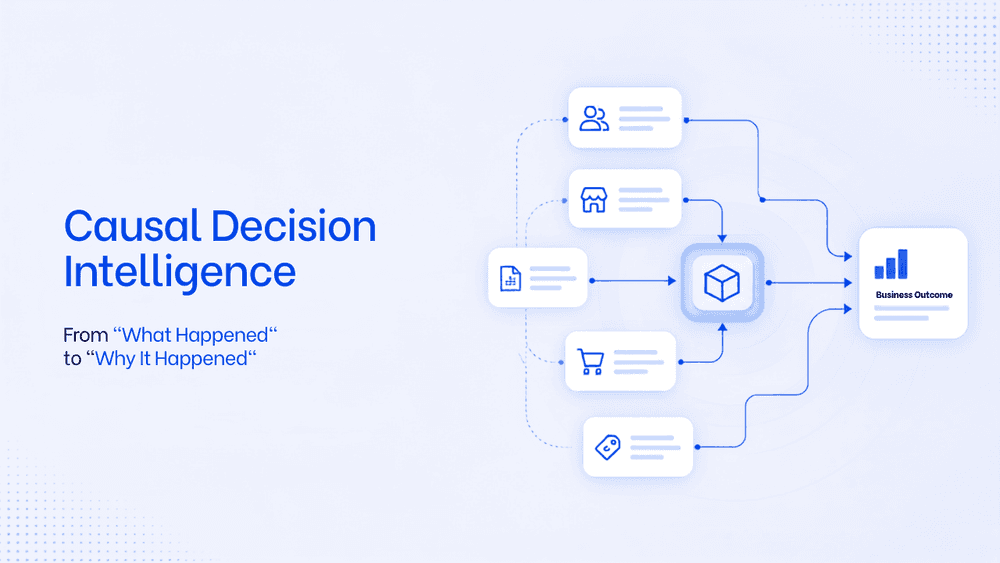
What Is Causal Decision Intelligence? A Framework To Move From "What Happened" to "Why It Happened"
Business intelligence tools are limited in their capability to find the root cause and the trigger behind it. Causal decision intelligence is the AI layer that helps business take faster, smarter decision with an auditable explanation. This will transform the way business analyse data and strategise on teh next actionable steps.

Tally Analytics Dashboards for Indian Businesses
80% of Indian SMBs use Tally. Fewer than 5% have dashboards. Learn how to build real-time P&L, cash flow, and receivables analytics from your Tally Prime data.