

Quick answer
To build an FMCG secondary sales dashboard, connect your DMS or stockist data to a central model keyed by outlet and territory. Map the outlet hierarchy, compute secondary sell-out by SKU and beat, overlay scheme impact, and track daily vs target. FireAI connects DMS and Tally data so FMCG teams get this view without manual consolidation.
An FMCG secondary sales dashboard shows what retailers and outlets actually purchase from distributors, broken down by SKU, beat, territory, and time period, so brand and sales teams can see real market demand rather than the billing numbers that flow from factory to distributor.
Primary sales to distributors often look healthy while stockists sit on unsold inventory or key outlets run out of fast-moving SKUs. Secondary sales data, typically from a Distributor Management System (DMS), closes this gap. Without a dashboard that makes secondary data usable, teams either rely on weekly Excel exports from distributors or skip it entirely and manage by primary billing alone.
This page covers the five steps to build a secondary sales dashboard that serves field sales teams, territory managers, and category planners in India. For context on why secondary data matters structurally, read why FMCG brands need secondary sales analytics. For a broader picture of FMCG analytics capabilities, see FMCG analytics in India.
Step 1: Connect and standardize DMS data
Your secondary sales dashboard is only as reliable as the DMS data behind it. Start with source connectivity before designing a single chart.
Most Indian FMCG brands use one of the major DMS platforms — Bizom, Salesforce DMS, Ivy Mobility, or a custom distributor portal. The key questions at this step:
- Can you pull data at the stockist bill level, or only at territory summaries? Bill-level data is the gold standard because it lets you trace sell-out per outlet.
- Is the data fresh? Daily sync is ideal; weekly is the minimum for scheme-tracking. If distributors upload manually, build in a data-recency indicator so the dashboard flags stale feeds.
- How is the product master handled? DMS product codes and ERP product codes rarely match out of the box. Build a product master mapping that reconciles DMS SKU codes to your brand's standard item hierarchy (company, category, brand, SKU) before the first chart is drawn.
For companies without a centralized DMS, secondary data often lives in distributor Excel templates, Tally ledgers at the stockist level, or van sales apps. FireAI can ingest all three and apply the same hierarchy mapping, so the dashboard works even in partially automated distribution networks.
Step 2: Map the outlet hierarchy
The outlet hierarchy is the backbone of the dashboard. Every territory roll-up, exception flag, and route comparison depends on a stable key that links outlet to beat to territory to region.
A typical FMCG outlet hierarchy in India:
Outlet (retailer or shop)
  → Beat (a route serviced by one salesperson or stockist)
    → Territory (group of beats managed by an ASM or SO)
      → Region (group of territories managed by an RSM)
        → Zone / National
Common problems at this step:
- Outlet codes differ between DMS and the field force app. Align on a master outlet ID before you start aggregating. Even a small mismatch causes double-counting or missed outlets in the roll-up.
- Outlets move between beats. Build a history-aware outlet master that respects re-beat dates so past performance is attributed to the correct route.
- New outlets appear in DMS before they are in the master. Add an unmatched outlet queue to the dashboard so new outlets are flagged for assignment rather than silently excluded.
For companies tracking outlet performance in detail, outlet-level analytics explains the benchmarking and hierarchy aggregation logic that sits on top of this master.
Step 3: Build the territory-level secondary sales view
With clean data and a stable hierarchy, the primary view of the dashboard shows secondary sell-out by territory: volume, value, SKU mix, and growth vs the same period last year.
Design the territory view around three questions territory managers actually ask each week:
Which territories are behind target?
Show achievement vs monthly target at territory and beat level, with a running total that updates daily. Color-code at 80% / 100% / 110% thresholds so regional managers see exceptions at a glance without reading every row.
Which SKUs are not moving?
A category contribution table ranked by secondary sell-out value within each territory reveals slow-moving SKUs early, before they become aging stock at the stockist. Filter by brand or pack type to isolate focus SKUs for a new product launch or promotional push.
Which channels are growing?
Segment secondary sell-out by outlet type: general trade, modern trade, chemist, or wholesale, depending on how your DMS captures channel. In India, general trade and wholesale channels often account for 60–70% of secondary volume for mass FMCG, but modern trade and e-commerce are faster growing. A channel-level view in the dashboard supports the right deployment of trade schemes and field resources.
Plain-language queries on this view: Teams using FireAI can ask questions like "Which beats in Maharashtra missed 80% secondary target for the last three weeks?" or "What is the secondary sell-out for Brand X packs in the 500ml SKU for the last 30 days by territory?" without building a filter manually each time.
Step 4: Add scheme impact overlay
Trade schemes and distributor incentives account for 10–15% of net revenue in many FMCG categories. Overlaying scheme spends on secondary sell-out is what turns a reporting dashboard into a decision-making one.
Add a scheme layer that ties each active scheme to the secondary sell-out it was designed to lift. The overlay should answer:
- Which schemes drove incremental secondary sell-out? Compare sell-out in the scheme period vs a matched baseline period for the same outlets.
- Which distributor or stockist is not passing scheme benefits to the trade? If a secondary sell-out uplift does not appear in the territory despite scheme activation, it may indicate non-compliance or scheme hoarding at the stockist level.
- What is the cost per incremental case for each scheme? Scheme payout divided by incremental secondary sell-out gives an efficiency ratio that lets category managers rank schemes by ROI.
This view connects directly to trade promotion analytics, which covers the financial measurement of scheme ROI in more detail. For the dashboard, a scheme summary table with activation status, territory coverage, payout accrued, and secondary sell-out lift is sufficient for weekly reviews.
Step 5: Track daily sell-out vs target
A secondary sales dashboard that only shows the month-to-date total is a rear-view mirror. Adding a daily pace tracker makes the dashboard actionable mid-month.
Daily sell-out vs target components:
- Pace indicator: at the current daily rate, will the territory hit its monthly secondary target? A simple projection line (actual-to-date + forecasted remaining days at current run rate) answers this.
- Outlet coverage today: how many outlets in the beat placed at least one secondary bill today? Coverage below 60% of planned outlets is a field execution signal, not a demand signal.
- Top SKU contribution vs last week: tracks whether the brand's focus SKU is gaining or losing share of secondary sell-out within its category, updated daily.
For FMCG companies that also track primary invoicing in Tally, FireAI connects both so the dashboard can surface primary-to-secondary ratio by territory. If primary is rising but secondary is flat, inventory is piling up at the stockist. If secondary is rising faster than primary, a stockout risk is building. This ratio, tracked weekly, is one of the most useful leading indicators for supply chain and sales planning teams. For a direct view of those signals, FMCG analytics in India covers the full stack from DMS to ERP.
How FireAI Builds the Secondary Sales Dashboard
FireAI connects DMS data, Tally primary invoicing, and field force apps to build the secondary sales dashboard without manual consolidation.
What FireAI handles:
- DMS integration: connects to Bizom, Salesforce DMS, and Ivy Mobility APIs, or ingests distributor Excel uploads on a scheduled basis
- Product and outlet master management: maps DMS codes to your brand hierarchy; flags unmatched outlets for the ops team
- Territory hierarchy: respects beat re-assignments and produces correct territory roll-ups for historical comparison
- Scheme overlay: matches scheme activation data to secondary sell-out periods by SKU and outlet cluster
- Daily pace tracking: refreshes daily sell-out vs target without waiting for end-of-day DMS batch exports where real-time APIs are available
Typical outcomes for FMCG teams:
- Territory managers start their day with an updated beat-level view instead of a Monday morning Excel reconciliation
- National sales managers see regional exceptions in one view and can drill to beat level without requesting a report
- Category teams compare scheme ROI across territories in the same dashboard they use to review secondary sell-out growth
Secondary sales analytics delivers the most value when it is live, granular, and connected to the tools your field force already uses. covers real-world implementation challenges and how Indian FMCG brands have addressed DMS data quality issues in practice.
Ready to act on your data?
See how teams use FireAI to ask in plain language and get analytics they can trust.
Explore FireAI workflows
Go from this topic into product features and solution paths that match what you read here.
Topic hub
BI Fundamentals
Foundational guides on business intelligence, analytics architecture, self-service BI, and core data concepts.
Explore hubFrequently asked questions
What data do I need to build an FMCG secondary sales dashboard?
What is the difference between primary and secondary sales in FMCG?
How do I track scheme effectiveness through a secondary sales dashboard?
How often should a secondary sales dashboard refresh?
Related in this topic
FMCG Analytics in India: Sales & Distribution
FMCG analytics in India covers secondary sales tracking, distributor performance, beat coverage, and retailer segmentation.
Outlet-Level Analytics for Multi-Store Growth | FireAI
When all outlets look the same in aggregate, you are blind to where the problem is. Learn the key metrics, examples and practical business uses.
Your Distributor Data Is Hiding the Truth: Why FMCG Needs Secondary Analytics
Primary billing to distributors hides what actually sells at the outlet. Secondary sales analytics shows you real outlet performance, scheme ROI, and territory gaps—before competitors fill them.
What Is Trade Promotion Analytics? FMCG Schemes & ROI
Trade promotion analytics measures discounts, display fees and schemes against spend and targets. Learn promotion ROI methods for FMCG teams.
From the blog
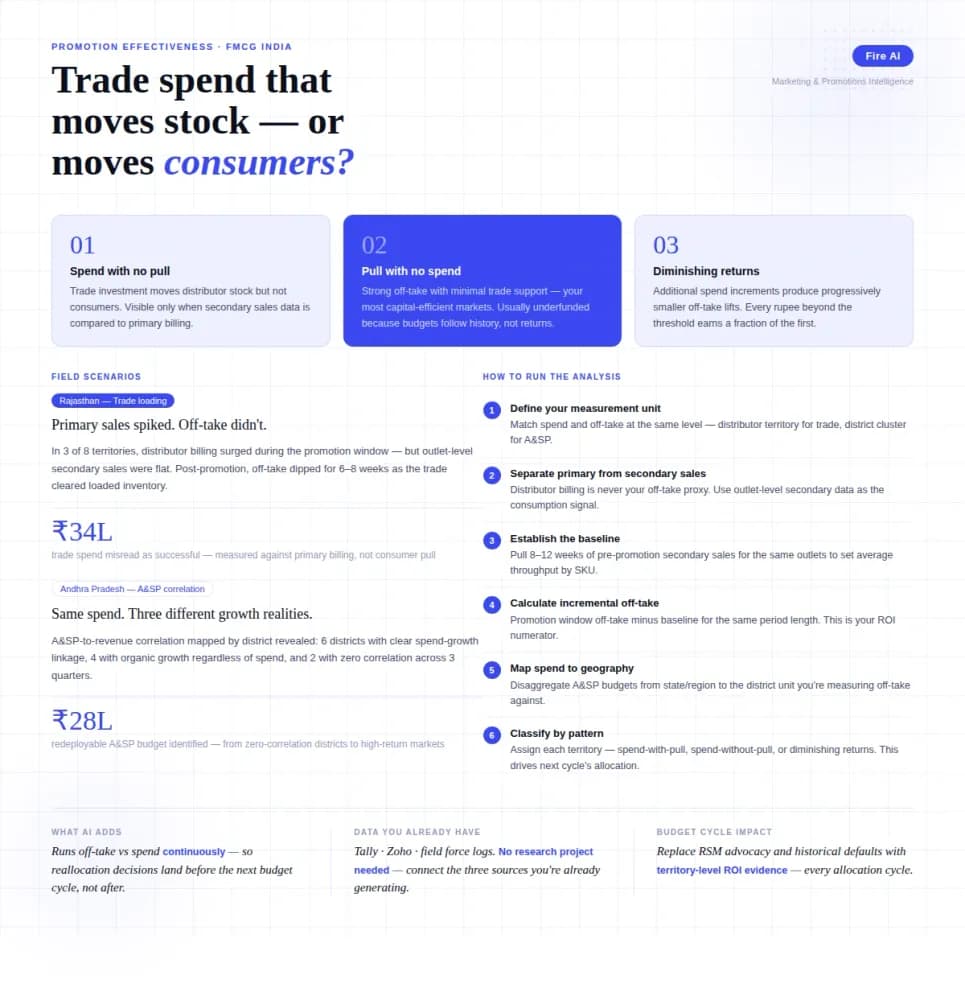
Measuring Promotion Effectiveness: A Data-Driven Guide for FMCG Marketers
FMCG brands in India spend 15–25% of gross revenue on trade promotions and A&SP (advertising and sales promotion) every year. Most can tell you how much they spent. Very few can tell you what it returned. The problem isn't a lack of data — it's that the data lives in disconnected places. Trade spend sits in finance. Off-take data lives with the distributor or field team. A&SP budgets are tracked in a marketing spreadsheet. No single view ties promotional investment to consumer pull at the outlet level. The result is a budget cycle where last year's spend allocation becomes next year's default, because no one has the numbers to argue for something different. This guide walks through how FMCG marketing and trade teams can build a promotion effectiveness framework that actually connects spend to outcome — not just channel-level assumptions.
Secondary Sales Tracking: From Excel Chaos to Real-Time Outlet Intelligence
You have primary billing data. You have distributor stock reports. What you don't have is a clear, current picture of what's actually selling at the outlet level — and that gap is costing you more than you think.
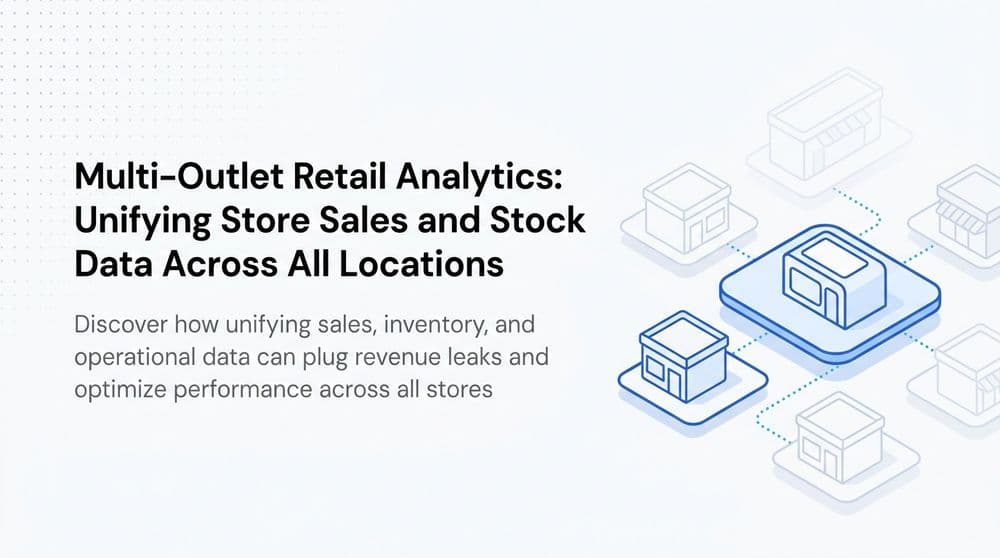
Multi-Outlet Retail Analytics: Track Store Sales
Track sales, stockouts, and staff performance across all stores. Learn how multi-outlet retail analytics can find the root cause of revenue leaks.