
Step 13 · Use and automate
Ask FireAI and check the answer
Ask FireAI a business question in plain words, pick the right data source, read the answer under What We Found, and use View Source to check it against a figure you trust.
Updated September 30, 2026
This is what all the setup was for: asking questions in plain words. Always check the first answers against a number you trust.
Ask a question
- Select Ask FireAI in the left menu.
- In the question box at the bottom, select the data source name and pick the one for your topic (for example, your sales data).
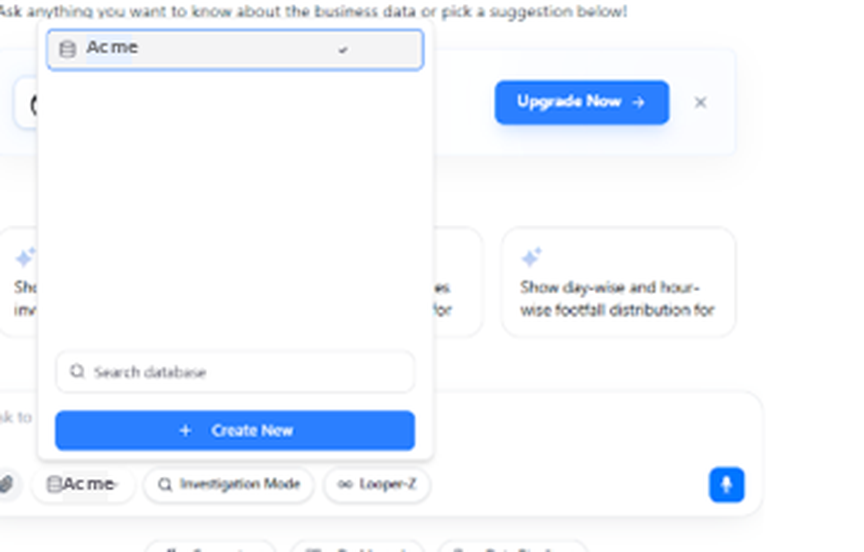
- Type your question in plain words, then press the send button. For example:
Type this
Show me the total sales values for 2024- Wait. Answers take about 15 seconds to a minute.
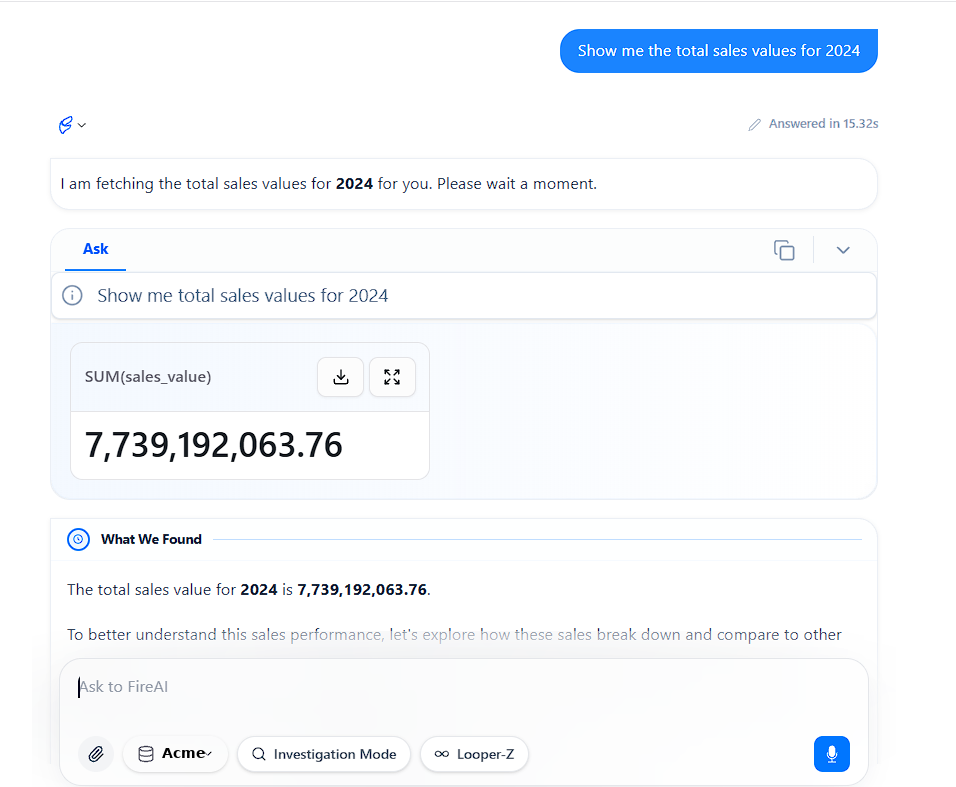
Check the answer
- Read the first line of the answer. It says what FireAI understood you to ask. If it misunderstood, ask again more clearly.
- Compare the number with your widget and your trusted figure. Here, 7,739,192,063.76 is the same as ₹774Cr on the tile.
- To see exactly how FireAI worked it out, select View Source on the answer.
You should now see
The same number as your widget and your trusted figure.
If the numbers differ
Do not change the dashboard to match. Check you picked the right data source and year first. If it still differs, send both numbers and a screenshot to the FireAI team.
Asking good questions
- Say which number. Sales, bills, pairs.
- Say which period. Last month, 2024, the last six months.
- Say how to split it. By shop, by region, by channel.
- Ask one thing at a time.