

Quick answer
An AI dashboard uses artificial intelligence to auto-generate charts, detect anomalies, and answer business questions in plain English or Hindi — without requiring users to build visualizations or write SQL. Unlike static dashboards, AI dashboards proactively surface insights, predict trends, and adapt to each user's role automatically.
An AI dashboard goes beyond static charts. It uses machine learning and natural language processing to auto-generate visualizations, detect anomalies in real time, suggest the next question to ask, and let users query data in plain English instead of SQL.
Traditional dashboards show data. AI dashboards understand data.
How AI Dashboards Differ from Traditional Dashboards
| Capability | Traditional Dashboard | AI Dashboard |
|---|---|---|
| Chart creation | Manual — drag, drop, configure | Auto-generated from data |
| Anomaly detection | User must spot outliers | AI flags anomalies automatically |
| Querying | SQL or filter selections | Natural language questions |
| Insight generation | Passive — shows what happened | Proactive — surfaces why it happened |
| Personalization | Same view for everyone | Adapts to each user's role |
| Alerts | Threshold-based rules | Predictive, pattern-based alerts |
Core Capabilities of an AI Dashboard
Natural Language Querying (NLQ)
Ask questions like "What were our top 5 products last month?" or "पिछले महीने सबसे ज़्यादा बिकने वाले 5 प्रोडक्ट कौन से थे?" and get instant charts. No SQL, no filter menus. NLQ-to-SQL technology translates plain questions into database queries behind the scenes.
Auto-Generated Visualizations
AI selects the right chart type (bar, line, pie, scatter) based on the data structure and the question asked. Users don't need to know when to use a waterfall chart versus a funnel chart — the system decides.
Proactive Anomaly Detection
Instead of waiting for users to notice a dip in revenue or a spike in returns, an AI dashboard flags unusual patterns automatically and pushes alerts to the right people. Example: "Revenue in West region dropped 18% this week — 3x the normal weekly variance."
AI-Generated Narratives
Beyond charts, AI dashboards produce written explanations: "Revenue dropped 12% this week, driven primarily by a 23% decline in the North region. The top contributing factor was delayed shipments from Warehouse B."
Predictive Insights
AI dashboards don't just show what happened — they project what's likely to happen. They can forecast demand, flag potential churn, or predict cash flow gaps before they materialize.
AI Dashboard in Action: Indian Business Examples
A ₹30Cr distributor in Delhi
- NLQ query: "Which customers haven't ordered in 30 days?"
- AI insight: "12 customers with combined annual revenue of ₹4.2Cr haven't ordered. 3 of these are in your top 20 by revenue."
- Predictive alert: "Based on order patterns, Sharma Traders (₹45L/year) is at risk of churn — last 3 orders were 40% below their average."
A textile manufacturer in Surat
- NLQ query: "मार्च में कौन सा कपड़ा सबसे ज्यादा बिका?"
- AI insight: Auto-generated chart showing top fabrics by revenue with margin overlay
- Anomaly flag: "Cotton blend margin dropped to 12% from 22% average — raw material cost spike detected"
When to Use an AI Dashboard
- Non-technical teams that need insights without waiting for analysts
- Fast-growing companies generating too much data for manual reporting
- Executives who need proactive alerts rather than static reports
- Organizations using Tally, ERPs, or multiple data sources that need a unified intelligent view
AI Dashboard vs BI Dashboard vs KPI Dashboard
| Type | Best For | Interaction |
|---|---|---|
| BI Dashboard | Structured reporting and monitoring | Manual chart building and filtering |
| KPI Dashboard | Tracking specific metrics against targets | Pre-built KPI cards and gauges |
| AI Dashboard | Exploration, anomaly detection, and proactive insights | Natural language + auto-generated views |
An AI dashboard can serve as a BI dashboard and a KPI dashboard — but it adds intelligence on top. The best approach is to start with KPIs and let the AI surface what you didn't think to track.
How to Build an AI Dashboard with FireAI
- Connect your data — Use FireAI's native Tally connector or any of 700+ connectors (databases, Google Sheets, CRMs, ERPs)
- Let AI build your first dashboard — FireAI's pre-built templates auto-configure KPI cards, trend charts, and anomaly alerts based on your data structure
- Ask questions in English or Hindi — Type "Show me revenue trend for last 6 months" or "इस महीने का मुनाफा कितना है?" and get instant visualizations
- Enable anomaly alerts — FireAI monitors your KPIs and sends alerts when metrics deviate from expected patterns
- Customise with zero-code builder — Drag and drop additional charts, tables, and KPI cards onto your dashboard canvas
- Share with your team — Publish with role-based access so each team member sees relevant metrics
FireAI starts at ₹4,999/month with unlimited users — making AI dashboards accessible to Indian SMBs, not just enterprises.
What to Look for in an AI Dashboard Tool
- Natural language querying — Can users ask questions in plain English (and Hindi)?
- Auto-visualization — Does the system pick the right chart type automatically?
- Anomaly detection — Are unusual patterns flagged proactively?
- Data source connectivity — Does it connect to Tally, ERPs, databases, and cloud apps?
- Multilingual support — Can it handle queries in regional languages?
- Role-based views — Do CEOs, CFOs, and sales managers see different default views?
- Affordable pricing — Flat pricing (not per-user) for growing teams
Ready to act on your data?
See how teams use FireAI to ask in plain language and get analytics they can trust.
Explore FireAI workflows
Go from this topic into product features and solution paths that match what you read here.
Topic hub
Dashboard And Reporting
Practical content on KPI dashboards, executive reporting, trend analysis, charts, and reporting automation.
Explore hubFrequently asked questions
What is the difference between an AI dashboard and a regular dashboard?
A regular dashboard displays pre-built charts that someone configured manually. An AI dashboard auto-generates visualizations, detects anomalies, answers natural language questions, and proactively surfaces insights — requiring no SQL or chart-building skills from the user.
Can non-technical users operate an AI dashboard?
Yes. AI dashboards are designed for non-technical users. Instead of building charts or writing SQL, users type questions in plain English or Hindi and the AI generates the answer as a chart, table, or narrative. FireAI is specifically designed for Indian business owners without technical backgrounds.
Which AI dashboard tools work with Tally data?
Most global AI dashboard tools (Tableau AI, Power BI Copilot, ThoughtSpot) do not connect to Tally natively. FireAI is designed specifically for Tally integration, converting Tally accounting data into AI-powered dashboards for sales, GST, receivables, and financial reporting — with NLQ support in Hindi and English.
How much does an AI-powered dashboard cost for Indian businesses?
FireAI starts at ₹4,999/month with unlimited users and full AI capabilities including NLQ, anomaly detection, and auto-visualization. Global tools like Power BI with Copilot cost ₹2,500+/user/month and require technical setup. ThoughtSpot starts at $95/user/month. FireAI offers the best value for Indian SMBs.
Can an AI dashboard predict future business trends?
Yes. Advanced AI dashboards use predictive analytics to forecast metrics like revenue, demand, cash flow, and churn risk. FireAI generates trend-based forecasts from your Tally and business data, alerting you to potential issues — such as a cash flow gap in 2 weeks — before they happen.
Related in this topic
What is a Business Dashboard? Types and Examples
A business dashboard is a visual interface that displays KPIs, metrics, and data insights in real-time. Learn how business dashboards work, which types exist, and how to design effective dashboards for executives, managers, and teams.
What is a KPI Dashboard? Definition and Examples
A KPI dashboard is a visual display of key performance indicators that gives business leaders an at-a-glance view of performance against goals. Learn what KPI dashboards include, how to build one, and see examples across sales, finance, and operations.
No-Code Dashboard Builder: Create Dashboards Easily
A no-code dashboard builder lets anyone create business dashboards by dragging, dropping, and connecting data — no SQL, no coding, no IT dependency. See how it works and which tools to use.
Natural Language BI: Ask Questions, Get Charts
Discover how natural language BI lets anyone ask data questions in plain English and get instant charts and answers. No SQL, no dashboard building required.
From the blog

How a Modern Analytics Platform Transforms Business Intelligence
Why faster decision-making, real-time analytics, and AI-driven intelligence separate market leaders from laggards—and how Fire AI closes the gap between data and action.

Key Trends Shaping the Future of AI-Powered Business Intelligence
Discover how AI-enabled analytics like Fire AI are transforming business intelligence with real-time dashboards, anomaly detection, and decision intelligence.
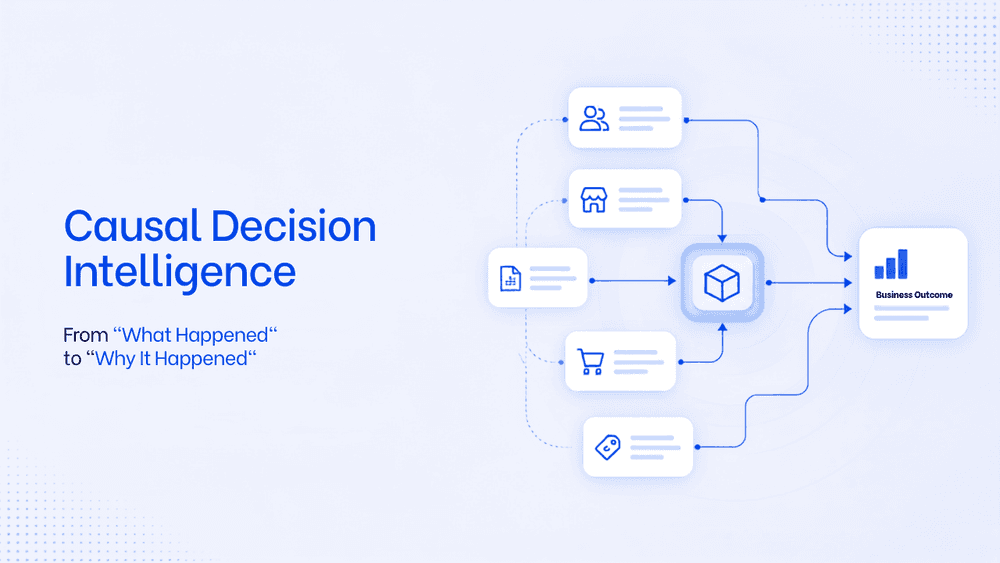
What Is Causal Decision Intelligence? A Framework To Move From "What Happened" to "Why It Happened"
Business intelligence tools are limited in their capability to find the root cause and the trigger behind it. Causal decision intelligence is the AI layer that helps business take faster, smarter decision with an auditable explanation. This will transform the way business analyse data and strategise on teh next actionable steps.