

Quick answer
No-code analytics enables business users to query data, build dashboards, and generate insights through natural language and visual interfaces — without writing SQL or code. Tools like FireAI let anyone ask questions in plain English or Hindi and get instant charts, eliminating dependency on analysts or IT teams.
No-code analytics removes the technical barrier between business users and their data. Instead of waiting for an analyst to write SQL and prepare a report, business users can directly ask questions, explore trends, and build dashboards — using natural language or drag-and-drop interfaces.
What is No-Code Analytics?
No-code analytics is a category of business intelligence and data analysis tools where the entire workflow — querying data, creating visualizations, building dashboards, and sharing insights — requires no programming knowledge.
Traditional analytics required:
- SQL for data queries
- Python or R for statistical analysis
- BI tool expertise for visualization
- IT support for data connections
No-code analytics replaces these technical requirements with:
- Natural language queries — "Show me sales by region last quarter"
- Drag-and-drop dashboard builders — point and click to create charts
- Pre-built connectors — connect to Tally, Google Sheets, CRM with one click
- AI-generated insights — the tool suggests what's interesting in the data
No-Code Analytics vs Traditional Analytics
| Aspect | Traditional Analytics | No-Code Analytics |
|---|---|---|
| Required skill | SQL, Python, BI tools | None — any business user |
| Report creation time | Hours to days | Minutes |
| Dependency on IT/analysts | High | None to low |
| Flexibility | High (code does anything) | Medium (platform-bounded) |
| Maintenance | High | Low |
| Cost of adoption | High (training + staff) | Low |
How No-Code Analytics Works
Natural Language Querying
The most powerful form of no-code analytics uses natural language processing to let users ask questions in plain English (or Hindi):
- "What was my gross margin last month?"
- "Which customers haven't ordered in 90 days?"
- "Compare this quarter's sales to last year"
The system translates the question into a database query (text to SQL), executes it, and returns a visualisation with the answer. See what is natural language querying (NLQ). For the full pipeline from plain language to executed SQL, read NLQ to SQL.
Drag-and-Drop Dashboard Builder
Visual dashboard builders let users:
- Select metrics from a list
- Choose chart types (bar, line, pie, table)
- Drag widgets onto a canvas
- Configure filters and date ranges
No SQL knowledge required at any step.
Pre-Built Analytics Templates
Many no-code analytics tools include ready-made dashboard templates for common business needs:
- Sales performance dashboard
- Financial P&L summary
- Inventory tracking dashboard
- Marketing attribution report
Users select a template, connect their data source, and the dashboard is pre-populated.
Benefits of No-Code Analytics
Democratised access: Any employee — from a sales rep to a warehouse manager to a CFO — can access and explore data without analyst support. This is the core promise of data democratisation.
Faster insights: Questions that previously took 2–3 days to answer (write ticket → analyst prioritises → writes SQL → reviews → shares) now take 30 seconds.
Reduced analyst bottleneck: Data analysts spend less time on repetitive report requests and more time on high-value modelling and strategy.
Broader analytics adoption: When analytics is easy to use, more people use it. Organisations with high analytics adoption make better decisions across the board.
No-Code Analytics Tools for India
For Indian businesses, the key requirements for no-code analytics are:
- Tally integration — most Indian SMBs use Tally for their core operations
- Hindi and regional language support — for pan-India teams
- Affordable pricing — per-user models become expensive at scale
Top no-code analytics tools relevant to Indian businesses:
| Tool | Tally Support | India Languages | AI NLQ |
|---|---|---|---|
| FireAI | ✅ Native | ✅ Hindi+ | ✅ Core feature |
| Zoho Analytics | ⚠️ Connector | ⚠️ Limited | ✅ Ask Zia |
| Looker Studio | ❌ | ❌ | ❌ |
| Metabase | ❌ | ❌ | ❌ |
FireAI — built in India for the world — offers no-code analytics with 700+ connectors including native Tally integration. Get instant natural language querying in English, Hindi, and regional languages, with zero technical setup.
How FireAI Implements No-Code Analytics
FireAI makes no-code analytics practical for Indian businesses through three pillars:
1. Natural Language Queries (NLQ)
Type questions in plain English or Hindi — "पिछले महीने की बिक्री दिखाओ" or "Show me GST liability for Q3" — and get instant charts. No SQL, no training. The AI understands Tally ledger structures, GST categories, and Indian fiscal year conventions out of the box.
2. Pre-Built Dashboards and 700+ Connectors
Connect Tally Prime, Google Sheets, PostgreSQL, MySQL, Zoho CRM, or any of 700+ data sources in under 5 minutes. Pre-built dashboard templates for P&L, sales performance, inventory tracking, and GST compliance are ready to use immediately.
3. Zero-Code Setup
No developer needed. A Surat-based textile exporter with ₹15 crore annual revenue connected Tally and had a working sales dashboard within 10 minutes — no IT team, no consultant, no code.
Indian Business Examples
- Manufacturing SMB (Pune): A ₹8 crore auto parts manufacturer uses FireAI to track production yield and raw material costs across 3 plants — the operations manager asks questions directly instead of waiting for weekly Excel reports
- Retail Chain (Chennai): A 12-store retail chain with ₹25 crore revenue replaced 6 hours of weekly manual reporting with instant NLQ queries on sales, inventory, and supplier performance
- D2C Brand (Bengaluru): A ₹4 crore D2C brand connected Shopify + Google Analytics + Tally to FireAI, getting a unified view of marketing spend, revenue, and profitability without hiring a data analyst
No-Code Analytics vs Self-Service BI
These terms are often used interchangeably, but there's a subtle distinction:
- Self-service BI — business users can access and use BI tools without IT, but may still need to know how to use the tool (drag-and-drop, filters, etc.)
- No-code analytics — specifically emphasises the absence of any coding requirement, including the configuration of the tool itself
All no-code analytics is self-service BI, but not all self-service BI is fully no-code.
Ready to act on your data?
See how teams use FireAI to ask in plain language and get analytics they can trust.
Explore FireAI workflows
Go from this topic into product features and solution paths that match what you read here.
Topic hub
AI Analytics
Guides on natural language querying, AI-powered analytics, forecasting, anomaly detection, and automated insights.
Explore hubFrequently asked questions
What is the best no-code analytics tool for Indian businesses?
FireAI is the best no-code analytics tool for Indian businesses because it combines natural language querying in Hindi and English, native Tally integration, and AI-powered insights — all without any coding or SQL knowledge required. Other options include Zoho Analytics (good for Zoho ecosystem) and Looker Studio (free, Google-focused).
Can non-technical users really do data analysis without coding?
Yes. Modern no-code analytics tools with natural language querying allow any business user to ask questions in plain English or Hindi and get instant answers. Business owners, sales managers, and operations heads can analyse their own data without any SQL or technical training.
Is no-code analytics less powerful than traditional coding-based analytics?
For most business analytics use cases — dashboards, KPI tracking, trend analysis, simple comparisons — no-code analytics is equally powerful and much faster. It becomes limited for very complex statistical modelling or custom algorithmic work, which still benefits from code. For 90% of business needs, no-code is sufficient.
What is the difference between no-code analytics and self-service BI?
Self-service BI means business users access analytics tools without IT dependency, but they may still use a visual tool that has some learning curve. No-code analytics specifically means no programming or query language is required at any point in the workflow — natural language and visual interfaces handle everything.
How much does no-code analytics cost for small businesses in India?
No-code analytics pricing varies widely. Free options like Looker Studio have limited features and no Tally integration. FireAI offers affordable plans designed for Indian SMBs — with native Tally connectivity, Hindi language support, and no per-user pricing that inflates costs as teams grow. Most Indian businesses under ₹50 crore revenue find no-code analytics far cheaper than hiring a dedicated data analyst (₹6–12 lakhs/year).
Related in this topic
What is Self-Service BI? Benefits and Tools
Self-service BI empowers business users to analyze data independently without IT assistance. Learn how self-service BI works, which tools enable it, and how to implement it to democratize data access and accelerate decision-making.
Natural Language BI: Ask Questions, Get Charts
Discover how natural language BI lets anyone ask data questions in plain English and get instant charts and answers. No SQL, no dashboard building required.
What is Data Democratization? Benefits and Challenges
Data democratization enables all employees to access and analyze business data without technical barriers. Learn how data democratization works, which benefits it provides, and how to implement it to transform organizations into data-driven cultures.
No-Code Dashboard Builder: Create Dashboards Easily
A no-code dashboard builder lets anyone create business dashboards by dragging, dropping, and connecting data — no SQL, no coding, no IT dependency. See how it works and which tools to use.
From the blog

Democratizing Data: How AI Analytics Levels the Playing Field for Small Businesses and Freelancers
For decades, data-driven decision making was a luxury that only enterprises could afford. Big companies hired data scientists, purchased expensive BI tools, and built complex data warehouses. In exchange, they received precise insights that guided budgets, strategy, and growth.
What Is a Data Silo and Why Is It Slowing Down Your Business?
Data silos are silently costing Indian businesses time, money and decisions. Here is what they are, why they form and how to break them for good with FireAI.
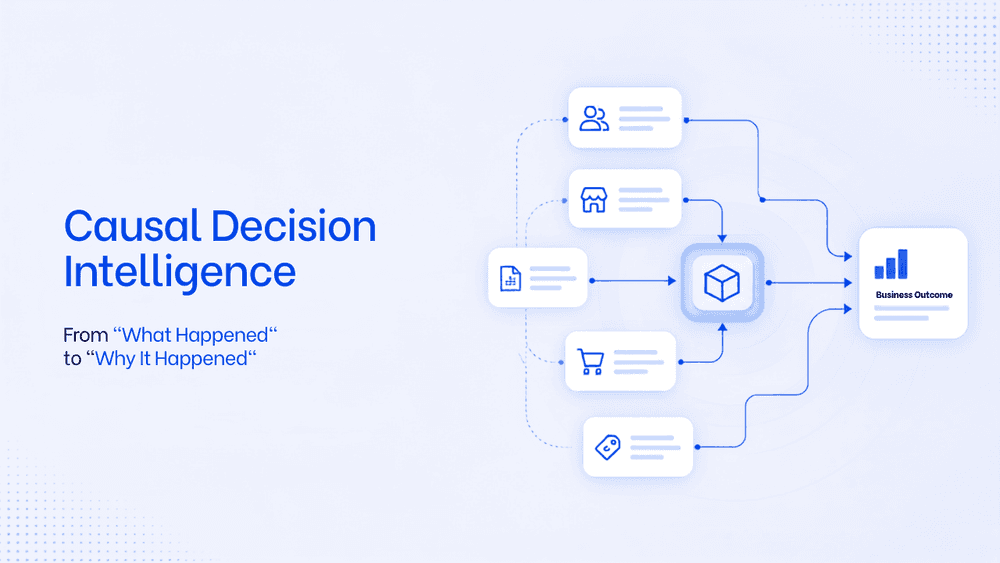
What Is Causal Decision Intelligence? A Framework To Move From "What Happened" to "Why It Happened"
Business intelligence tools are limited in their capability to find the root cause and the trigger behind it. Causal decision intelligence is the AI layer that helps business take faster, smarter decision with an auditable explanation. This will transform the way business analyse data and strategise on teh next actionable steps.