

All articles
Business Intelligence Tools in 2026: 10 Options Compared for Indian Businesses
Compare 10 business intelligence tools on price, ease of use, Tally and ERP support, AI features and root cause analysis. Updated September 2026.
A
Anonymous
Oct 26, 2026 · 13 min read
By [Author name], [Role], FireAI · Reviewed by Kaustubh Keshav, Director of AI & Data Science · Last updated: 21 September 2026
Business intelligence (BI) tools are software that collect data from the systems a business already runs (accounting, ERP, CRM, point of sale, ad platforms), turn it into dashboards and reports, and let people ask questions of it. The best BI tool for you depends on three things: who will use it (analysts or business owners), where your data lives (Tally, SAP, Shopify, spreadsheets), and whether you need to know only what changed or also why it changed.
We compared 10 widely used business intelligence tools on price, ease of use, Indian system support, AI features and root cause analysis. Prices are list prices checked in September 2026.
Key takeaways
- For analyst teams on Microsoft 365: Power BI is the default choice and the cheapest per seat among the big names, at ₹1,165 per user per month for Pro.
- For advanced visual analysis: Tableau is still the strongest, but a Creator licence costs $75 per user per month and every deployment needs at least one.
- For small teams on a tight budget: Zoho Analytics and Google's Data Studio are the low-cost entry points.
- For business owners without a data team: AI-native tools such as FireAI, ThoughtSpot and Julius AI let you ask questions in plain language instead of building reports.
- For Indian operations-heavy businesses (Tally, GST, distributors, multi-outlet retail): FireAI connects to Tally natively, works in Hindi and 90+ languages, and adds causal root cause analysis that explains why a number moved.
What is a business intelligence tool?
A business intelligence tool is software that pulls data from different sources into one place, organises it, and presents it as dashboards, charts, reports and alerts so people can make decisions. Most BI tools do four jobs:
- Connect to data sources such as Tally, SAP, Salesforce, Shopify, Excel and databases like MySQL or PostgreSQL.
- Model the data so that "sales" means the same thing in every report.
- Visualise it through dashboards, KPI cards and drill-downs.
- Share it with the right people, with access controls, scheduled reports and alerts.
Newer tools add a fifth job: explaining. They use AI to answer questions in plain language and, in some cases, to trace the cause of a change instead of only showing it.
Traditional BI vs AI BI vs causal decision intelligence
Not every tool called "BI" answers the same question. This is the single most useful distinction when you shortlist.
| Type | Question it answers | Who builds the reports | Examples |
|---|---|---|---|
| Traditional BI | What happened? | Analysts or BI developers | Power BI, Tableau, Qlik, Looker |
| AI or conversational BI | What happened? (asked in plain language) | Anyone, by typing or speaking a question | ThoughtSpot, Julius AI, Power BI Copilot |
| Causal decision intelligence | Why did it happen, and what should we do? | Anyone; the system traces the cause | FireAI |
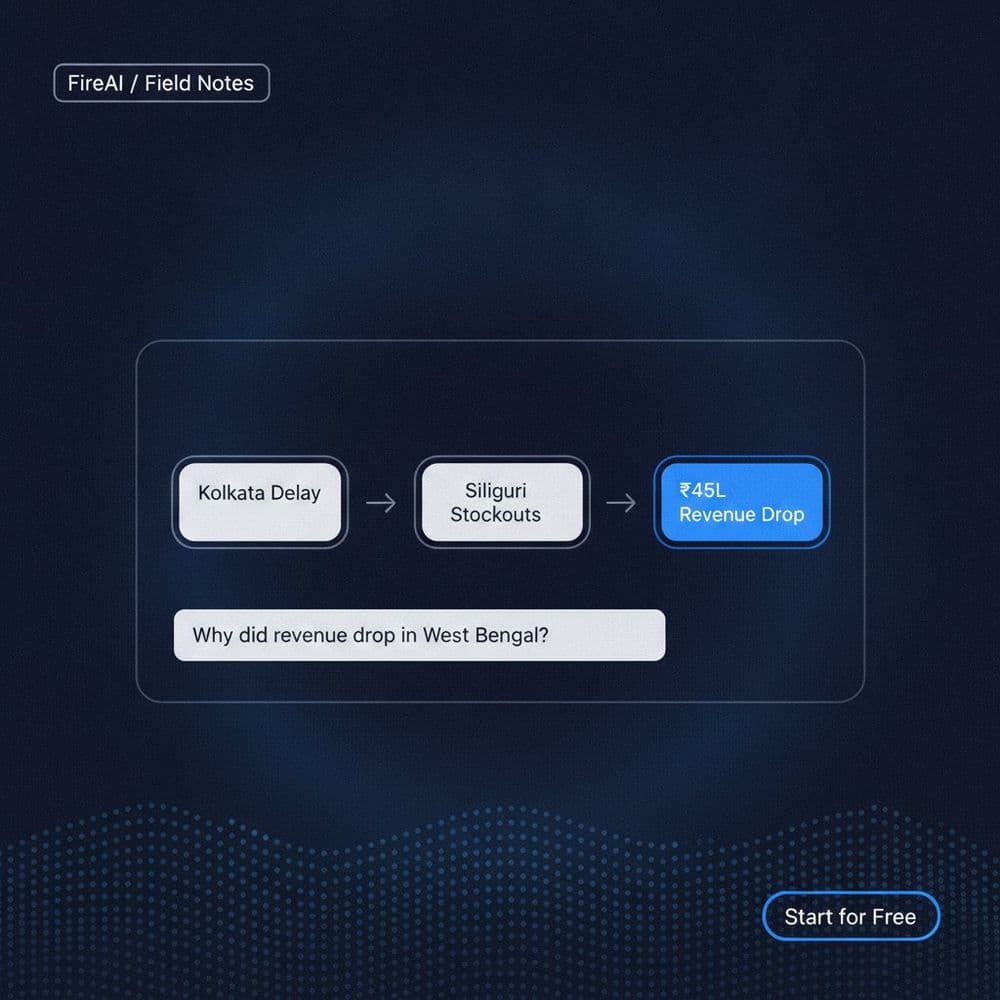
Here is why the difference matters. Say your revenue fell 12% last month. A traditional dashboard shows the drop clearly. Someone still has to spend hours pulling data from sales, inventory and marketing to work out why. A causal system does that trace for you and might find, for example, that the drop came from two distributors in one region after a scheme change, not from the ad spend cut everyone suspected.
It also protects you from a common mistake. If you spend more on marketing in festive months, spend and revenue will rise together even if the extra spend adds little, because the season drives both. A correlation-based report would credit marketing. A causal analysis separates the two.
How we evaluated these tools
We scored each tool on seven criteria that come up most in buying decisions we see from Indian businesses:
- Ease of use for non-technical users: can a founder or CFO get an answer without SQL?
- Time to first dashboard: days, weeks or months.
- Indian system support: native connectors for Tally, GST data and INR formatting.
- AI features: natural language questions, automated insights, forecasting.
- Root cause analysis: does it explain why a metric changed?
- Price transparency: published pricing, free tier, minimum commitment.
- Security and deployment: role-based access, on-premise or India data residency options.
FireAI is our own product. We have included it where it fits and been specific about where other tools are a better choice.
The 10 best business intelligence tools at a glance
| Tool | Best for | Starting price (list, Sept 2026) | Free option | Plain-language questions | Explains "why" | Native Tally connector |
|---|---|---|---|---|---|---|
| FireAI | Indian SMEs and enterprises without a data team | ₹3,499/month (Professional, monthly billing) | Yes, free forever plan | Yes, 90+ languages incl. Hindi | Yes, Causal Chain | Yes |
| Microsoft Power BI | Analyst teams on Microsoft 365 | ₹1,165/user/month (Pro, annual) | Yes, personal use | Yes, via Copilot (higher tiers) | Partial (key influencers visual) | No (via third-party connectors) |
| Tableau | Advanced visual analytics | $75/user/month Creator, $15 Viewer (annual) | Tableau Public only | Yes, Tableau Pulse and Agent | Partial | No |
| Zoho Analytics | Budget-conscious SMEs, Zoho users | $60/month for 5 users (Standard) | Yes, 2 users | Yes, Zia assistant | Limited | Via import |
| Google Data Studio | Marketing reports on Google data | Free; Pro $9/user/project/month | Yes | Limited | No | No |
| Looker (Google Cloud) | Governed metrics on BigQuery | Quote-based | No | Yes, Gemini in Looker | Limited | No |
| Qlik Sense | Associative data exploration | Quote or tiered cloud plans | Trial | Yes, Qlik Answers | Partial | No |
| ThoughtSpot | Search-style analytics on a cloud warehouse | Tiered plans and enterprise quote | Trial | Yes, core feature | Partial (SpotIQ) | No |
| Metabase | Technical teams wanting open source | Free self-hosted; paid cloud plans | Yes, open source | Limited | No | No |
| Julius AI | One-off analysis of files and spreadsheets | Paid plans with a free tier | Yes | Yes, core feature | No | No |
Prices are vendor list prices and exclude GST. Check the vendor's pricing page before you buy, because tiers change often.
1. FireAI
Best for: founders, CFOs and operations heads in Indian businesses who want answers from Tally, ERP, POS or Shopify data without hiring a data team.
FireAI is a no-code causal decision intelligence platform built in Mumbai. You connect the systems you already run, ask a question in plain English, Hindi or any of 90+ languages, and get a chart with the numbers behind it. When a metric moves, its Causal Chain feature traces the change across linked KPIs, regions, products and departments to show which factor actually drove it.
What stands out
- Ask FireAI: type or speak a question such as "Why did margin fall in the North region last month?" and get the answer as a chart, table or summary.
- Causal Chain: root cause analysis that goes past "what changed" to "why".
- Smart alerts: threshold alerts on any KPI by email, WhatsApp or in-app, with the likely cause attached.
- AI dashboards: drag-and-drop dashboards with role-based access and scheduled PDF or Excel reports.
- Mobile app for CXOs on iOS and Android.
- Indian plumbing: native Tally connector, GST reports and INR formatting.
- Deployment: cloud, on-premise, or a mode where data stays on your own servers. GDPR compliant and ISO 27001 certified per FireAI's security page; SOC 2 in progress.
Proof: Daffoworth Pharmaceuticals consolidated scattered spreadsheet data into six role-based dashboards in about two weeks and reported 10.76% quarter-on-quarter net sales growth and 22.6% lower sales-return losses. ISA Logistics cut manual reporting effort by 60 to 70% with direct Tally integration. (Read the case studies)
Pricing: Free plan (1 user, 50 AI queries a month). Professional ₹3,499/month billed monthly. Team ₹25,299/month for 5 users. Business and Enterprise tiers available. Annual billing saves about 20%.
Not ideal if: you need pixel-perfect, highly customised visual design for public-facing data stories. Tableau is stronger there.
2. Microsoft Power BI
Best for: companies already on Microsoft 365 with at least one analyst who can model data.
Power BI is one of the most widely used BI platforms and was named a Leader in the 2025 Gartner Magic Quadrant for Analytics and BI Platforms. It is powerful and affordable per seat, and it plugs straight into Excel, Teams and Azure.
What stands out: a huge connector library, DAX for advanced calculations, Copilot for natural-language report building on eligible capacities, and a large community of trained users in India.
Pricing: Free for personal use. Pro ₹1,165/user/month and Premium Per User ₹1,995/user/month, both billed annually with GST extra (Microsoft India pricing page).
Watch out for: a steep learning curve for DAX and data modelling. Most teams need a clean data source or warehouse first, and a first production dashboard often takes weeks. There is no native Tally connector.
FireAI vs Power BI: full comparison
3. Tableau
Best for: analysts and data teams who want the richest visual exploration.
Tableau, owned by Salesforce, remains the benchmark for interactive visualisation. Tableau Pulse and its AI agent now add plain-language summaries of metrics.
Pricing: Standard edition list prices are $75 per user per month for Creator, $42 for Explorer and $15 for Viewer, billed annually. Enterprise edition costs more. Every deployment needs at least one Creator.
Watch out for: total cost climbs quickly as viewer counts grow, and building good dashboards still needs a skilled author.
FireAI vs Tableau: full comparison
4. Zoho Analytics
Best for: small and mid-sized businesses, especially those already using Zoho CRM or Zoho Books.
Zoho Analytics is an Indian-built, self-service BI tool with a friendly interface, an AI assistant called Zia, and hundreds of connectors.
Pricing: a free plan for 2 users and 10,000 rows. Paid cloud plans start with Standard at $60 per month for 5 users, with 20% off on annual billing.
Watch out for: row limits on each plan, and deeper analysis beyond dashboards takes effort.
FireAI vs Zoho Analytics: full comparison
5. Google Data Studio (formerly Looker Studio)
Best for: marketing teams reporting on Google Ads, GA4, Search Console and Sheets.
Google renamed Looker Studio back to Data Studio in 2026. It remains free and is the quickest way to build a shareable marketing dashboard.
Pricing: free. The Pro version costs $9 per user per project per month and adds team management and support.
Watch out for: it is a reporting tool more than an analysis tool, and it slows down with large or blended datasets.
6. Looker (Google Cloud)
Best for: data teams that want one governed definition of every metric on top of BigQuery or another cloud warehouse.
Looker's LookML semantic layer keeps numbers consistent across the company, and Gemini in Looker adds conversational analysis.
Pricing: quote-based.
Watch out for: needs a data engineer and a cloud warehouse. It is not a tool for teams without technical staff.
7. Qlik Sense
Best for: exploring relationships across many datasets at once.
Qlik's associative engine lets users click through data freely instead of following fixed drill paths. Qlik was named a Leader in the 2025 Gartner Magic Quadrant.
Pricing: tiered cloud plans and enterprise quotes. Check Qlik's site for current tiers.
Watch out for: script-based data loading has a learning curve.
8. ThoughtSpot
Best for: larger companies with a cloud data warehouse that want search-style analytics.
ThoughtSpot pioneered typing a question into a search bar to get a chart. Its SpotIQ feature surfaces automated insights.
Pricing: tiered plans plus enterprise quotes.
Watch out for: works best on a well-modelled cloud warehouse such as Snowflake or BigQuery, which many Indian SMEs do not have.
9. Metabase
Best for: startups with engineers who want a free, open-source BI tool.
Metabase is simple to self-host and lets technical and semi-technical users build questions and dashboards.
Pricing: free to self-host; paid cloud plans available.
Watch out for: you manage hosting, security and upgrades yourself, and AI features are limited.
10. Julius AI
Best for: individuals analysing an uploaded spreadsheet or CSV.
Julius AI is an AI data analyst: upload a file, ask questions, and get charts and summaries.
Pricing: free tier with paid plans.
Watch out for: it is built for one-off file analysis, not for live connections to ERP systems, shared company dashboards or ongoing alerts.
How to choose the right BI tool: a 7-question checklist
Answer these before you book any demo.
- Who will use it every day? If it is analysts, Power BI or Tableau. If it is founders, sales heads and plant managers, choose a tool they can question in plain language.
- Where does your data live? List every system. If Tally or a local ERP is central, confirm a native connector, not a CSV workaround.
- Do you have a data warehouse? Looker, ThoughtSpot and most Power BI setups assume one. If you do not, pick a tool that connects to operational systems directly.
- Do you need to know why, not just what? If your team spends days investigating every drop in sales or margin, prioritise root cause analysis.
- What languages do your users work in? Regional language support matters for distributor, field and plant teams.
- What is the full cost? Add licences, implementation, a BI developer's salary and time to first dashboard. A cheap licence with a three-month build is not cheap.
- Where must your data stay? Check on-premise options, India data residency and certifications such as ISO 27001.
What BI tools actually cost in India
Licence price is only part of the bill. For a 20-person company, the real cost of traditional BI usually includes:
- Licences: per user, often billed annually upfront.
- Implementation: a consultant or partner to connect sources and build the first dashboards.
- People: a BI developer or analyst to maintain reports and answer ad-hoc questions.
- Time: traditional BI tools commonly take 6 to 16 weeks to a first production dashboard because data has to be cleaned and modelled first.
AI-native tools shift cost away from people and build time, because business users ask their own questions. That is the main reason Indian SMEs without data teams are moving to them.
The bottom line
If you have analysts and a clean data warehouse, Power BI or Tableau will serve you well. If you are on a tight budget, start with Zoho Analytics or Data Studio. If the people who make decisions in your business are founders, CFOs and operations heads who need answers from Tally, ERP or POS data today, and need to know why a number moved, try a causal decision intelligence platform.
Start free with FireAI or book a demo to see it on your own data.
Sources
- Microsoft, Power BI pricing (India), checked September 2026
- Zoho, Zoho Analytics pricing and TrustRadius pricing summary
- Mammoth Analytics, Tableau pricing 2026
- Google Cloud, Looker Studio is Data Studio
- Microsoft, Leader in the 2025 Gartner Magic Quadrant for Analytics and BI Platforms
- Qlik, Leader in the 2025 Gartner Magic Quadrant
- FireAI, pricing, security and case studies
Frequently asked questions
There is no single best tool. Power BI is the best value for analyst teams on Microsoft 365, Tableau is best for advanced visualisation, and Zoho Analytics suits small budgets. For Indian businesses without a data team that run on Tally or an ERP, FireAI is built for plain-language questions and root cause analysis.
Small businesses should look for a free tier, no SQL requirement, and native connectors to the systems they use. Zoho Analytics and Google Data Studio are low-cost starting points. FireAI offers a free plan, a native Tally connector, GST-ready reports and questions in Hindi and other Indian languages.
Yes. Some BI tools connect to Tally only through exported files or third-party connectors, which means manual refreshes. FireAI has a native Tally connector that reads data directly, so dashboards stay current and you can ask questions of your Tally data in plain language.
Not always. Traditional tools like Power BI, Tableau and Looker work best when someone can model data with SQL, DAX or LookML. AI-native tools such as FireAI, ThoughtSpot and Julius AI let you type or speak a question and translate it into a query automatically.
Business intelligence shows what happened through reports and dashboards. Decision intelligence goes further: it explains why something happened and helps decide what to do next. Causal decision intelligence uses cause-and-effect analysis, not just correlation, to identify the real driver behind a change in a metric.
Power BI is cheaper per user (₹1,165 per month for Pro in India) and fits naturally into Microsoft 365. Tableau offers richer visual exploration but costs more, with Creator licences at $75 per user per month. Both usually need a trained analyst to build and maintain dashboards.
Yes. Google Data Studio is free, Metabase is free to self-host, Power BI has a free personal version, Zoho Analytics has a free plan for 2 users, and FireAI has a free-forever plan with 50 AI queries a month.
Traditional BI tools often take 6 to 16 weeks to a first production dashboard because data must be cleaned and modelled in a warehouse first. Tools that connect directly to operational systems can go live much faster. FireAI customers typically see a first dashboard in 1 to 2 weeks, and often within days on Tally.
Keep reading
More from the blog


See FireAI on your data.
Book a walkthrough to see how FireAI turns your business data into AI-driven decisions.