

Quick answer
Tally Prime analytics layers business intelligence on top of Tally Prime's accounting data — converting ledger entries, vouchers, and GST records into interactive dashboards, automated MIS reports, and real-time KPI tracking. With tools like FireAI, you get a one-click Tally connector, pre-built dashboard templates, and natural language queries — no SQL or Excel exports needed.
Tally Prime is India's most widely used accounting software, but its built-in reports are static and limited in visual analysis. Tally Prime analytics bridges this gap by connecting BI tools to Tally Prime data for interactive dashboards, automated reports, and AI-powered insights.
What Exactly Is Tally Prime Analytics?
Tally Prime analytics is any business intelligence layer that reads data from Tally Prime — vouchers, ledgers, stock items, cost centres, GST details — and presents it as dashboards, charts, and automated reports. Instead of opening Tally Prime and navigating to individual reports, teams get a single view of financial health, sales performance, collections, and compliance.
The core idea is simple: Tally Prime is excellent at recording transactions. Analytics is about converting those transactions into patterns, trends, and actionable signals.
Key Features of Tally Prime Analytics
Real-Time Dashboards
Live dashboards pull data directly from Tally Prime databases and display KPIs such as revenue, outstanding receivables, cash balance, GST liability, and stock value — updated automatically as new vouchers are entered.
Automated MIS Reports
Monthly P&L statements, balance sheet summaries, and fund-flow reports are generated without manual Excel consolidation. Reports can be scheduled for email delivery to management every Monday morning or month-end.
Multi-Dimensional Analysis
Slice Tally Prime data by dimensions that Tally's native reports don't easily support:
- Sales by region, product group, and salesperson in a single view
- Receivables by customer segment and ageing bracket
- Expense trends by cost centre and month
GST Compliance Tracking
Track GSTR-1 vs books mismatch, ITC utilisation, and filing deadlines from a single compliance dashboard connected to Tally Prime's GST module.
Natural Language Queries
Modern BI tools with NLQ capabilities let non-technical users ask questions like "Show me top 10 customers by outstanding amount" and get instant answers from Tally Prime data.
Tally Prime Built-In Reports vs BI Analytics
| Capability | Tally Prime Native | BI-Powered Analytics |
|---|---|---|
| Report format | Static text and tables | Interactive charts and dashboards |
| Drill-down | Limited to ledger detail | Multi-level drill-down by any dimension |
| Scheduling | Manual | Automated email/PDF delivery |
| Cross-company | One company at a time | Consolidated multi-company view |
| Mobile access | Not available | Web and mobile responsive |
| Forecasting | None | AI-based trend prediction |
| GST reconciliation | Basic | Visual mismatch highlighting |
Common Tally Prime Analytics Use Cases in India
For CA Firms and Accountants
- Automated trial balance and P&L generation across client companies
- Quick ratio analysis (current ratio, debt-equity, DSCR) for loan documentation
- GST return data validation before filing
For Manufacturing SMEs
- Stock turnover analysis by raw material and finished goods category
- Production cost tracking against budgeted cost centres
- Vendor payment ageing and upcoming payment schedule
For Trading and Distribution Businesses
- Sales analytics by product, territory, and channel
- Receivables ageing dashboard for collections follow-up
- Margin analysis by product line
For Service Companies
- Revenue recognition by project and client
- Expense analysis by department and cost centre
- Cash flow visibility for working capital planning
How Tally Prime Data Connects to BI Tools
Integration Methods
- One-Click Native Connector (Recommended): FireAI connects directly to Tally Prime with a one-click setup — no ODBC drivers, no CSV exports, zero code. Data auto-syncs in real time as vouchers are entered in Tally. This is the fastest method to go from Tally data to live dashboards.
- Tally XML API / ODBC: Generic BI tools like Power BI may use Tally Prime's XML-based APIs or ODBC drivers, though this requires technical setup and ongoing maintenance.
- Database Sync: Tally Prime data files are synced to a cloud or local database where the BI layer reads from, ensuring Tally performance is unaffected.
- Automated data sync: Scheduled exports or connectors (see Tally data export for analytics) move voucher, ledger, and master data from Tally Prime into your analytics layer — useful for businesses that need batch processing.
Data Security
Enterprise Tally analytics solutions maintain read-only access to Tally data — the BI layer cannot modify transactions. Role-based access ensures that sales teams see sales data while finance teams access full financial reports.
What to Look for in a Tally Prime Analytics Tool
- Native Tally Prime support: Direct integration without manual data export
- Automatic refresh: Data should sync at least daily without manual intervention
- Pre-built templates: Dashboards for P&L, balance sheet, receivables, payables, GST, and inventory should be available out of the box
- Custom report builder: Ability to create ad-hoc reports without coding
- Multi-company support: Essential for businesses or CAs managing multiple Tally companies
- India-specific compliance: GST dashboards, TDS tracking, and statutory reporting
- Mobile access: Key decision-makers need access on mobile devices
How FireAI Delivers Tally Prime Analytics
FireAI connects to Tally Prime with a one-click connector — no ODBC setup, no CSV exports, zero technical configuration. Once connected:
- Pre-built dashboard templates for sales, GST, receivables, cash flow, P&L, and inventory go live within minutes
- Real-time auto-sync keeps dashboards current as new vouchers are entered in Tally
- NLQ (Natural Language Queries) let you ask "Show me top 10 overdue customers" or "What was my GST liability in Q3?" in plain English or Hindi
- Multi-company consolidation for CAs and business groups managing multiple Tally companies
Example: A ₹15 Cr manufacturing company in Pune connects Tally Prime to FireAI. Within 30 minutes, the CFO has a live P&L dashboard, the sales head sees revenue by product line, and the accountant monitors GST reconciliation — all from the same Tally data, updated automatically.
FireAI supports 700+ data sources including databases (PostgreSQL, MySQL, SQL Server), cloud apps (Zoho CRM, Shopify, Google Analytics), and file uploads (Excel, CSV) — so Tally Prime data can be combined with CRM and marketing data for a complete business view.
Ready to act on your data?
See how teams use FireAI to ask in plain language and get analytics they can trust.
Explore FireAI workflows
Go from this topic into product features and solution paths that match what you read here.
Topic hub
Tally Analytics
Analytics for Tally Prime and Tally ERP — one of 700+ data sources FireAI connects to — including dashboards, reporting, GST, and finance workflows.
Explore hubFrequently asked questions
Can I get analytics from Tally Prime without exporting to Excel?
Yes. FireAI connects to Tally Prime with a one-click connector — no ODBC, no CSV exports. Your data auto-syncs to live dashboards for sales, GST, receivables, cash flow, and P&L. Dashboards always reflect the latest transactions entered in Tally Prime without any manual export step.
What reports can Tally Prime analytics generate that Tally cannot?
Tally Prime analytics adds interactive dashboards, multi-dimensional drill-downs, automated scheduled reports, cross-company consolidated views, AI-based forecasting, and visual GST reconciliation — none of which are available in Tally Prime's built-in reporting.
Is Tally Prime analytics suitable for small businesses in India?
Absolutely. A ₹2–5 Cr business benefits the most because it typically lacks dedicated data analysts. FireAI gives owners and accountants instant visibility into cash flow, receivables, and profitability with pre-built templates — no hiring, no SQL, no technical skills needed.
How long does it take to set up Tally Prime analytics with FireAI?
Under 30 minutes. FireAI's one-click Tally connector handles data extraction automatically. Pre-built dashboard templates for sales, GST, receivables, P&L, and inventory go live immediately after connection — no data modelling or report building required.
Can Tally Prime analytics work for a CA firm managing multiple companies?
Yes. FireAI supports multi-company consolidation — connect 10, 20, or 50+ Tally companies and view consolidated dashboards for receivables, GST compliance, and cash flow across all clients. Drill down into any individual company in one click.
Related in this topic
Tally Analytics: Turn Tally Data into Dashboards & Reports
Get AI-powered analytics and dashboards from Tally Prime data without SQL. FireAI connects to Tally for live GST, sales, inventory, and P&L—no spreadsheet exports.
Tally Dashboard: Live Sales, GST & Finance Views
A Tally dashboard turns your Tally Prime data into live charts for sales, GST, receivables, inventory, and P&L — updated automatically. See examples, key metrics, and how to set one up.
How to Build Financial Dashboards
Learn how to build effective financial dashboards by focusing on key financial metrics, designing CFO-friendly layouts, and implementing real-time financial monitoring. Discover which metrics to track, dashboard design principles, and best practices for financial analytics.
Can AI Work with Tally Prime and ERP 9 Data?
Yes — AI can connect directly to Tally Prime and Tally ERP 9 to deliver instant dashboards, natural language queries, and automated insights on your financial, sales, and inventory data. Learn how AI analytics works with Tally data.
From the blog

Tally Analytics Dashboards for Indian Businesses
80% of Indian SMBs use Tally. Fewer than 5% have dashboards. Learn how to build real-time P&L, cash flow, and receivables analytics from your Tally Prime data.
Dashboard and Data Visualization Best Practices for 2026
12 dashboard and data visualization best practices for Indian businesses: which KPIs to show, which chart to pick, layout rules and mistakes to avoid.
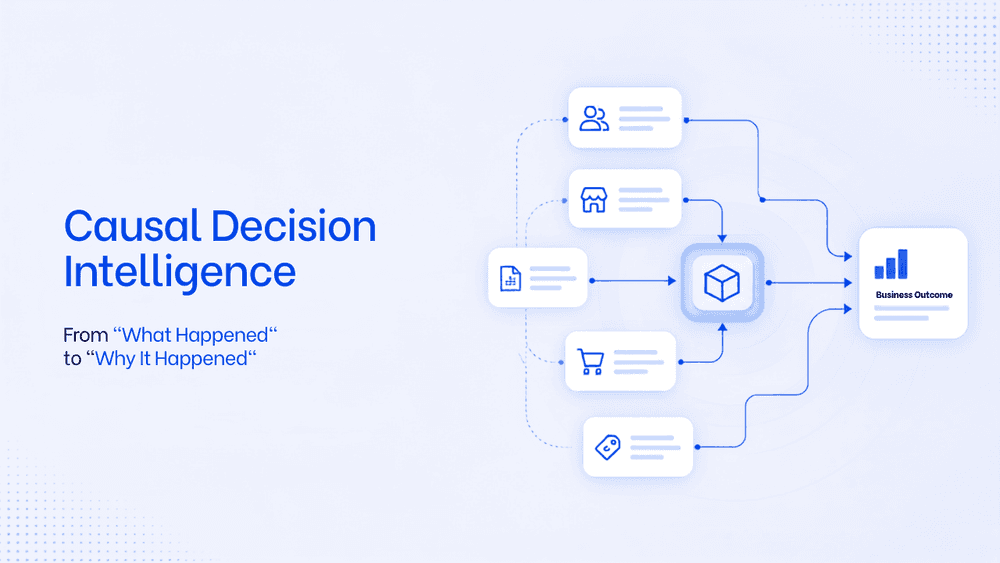
What Is Causal Decision Intelligence? A Framework To Move From "What Happened" to "Why It Happened"
Business intelligence tools are limited in their capability to find the root cause and the trigger behind it. Causal decision intelligence is the AI layer that helps business take faster, smarter decision with an auditable explanation. This will transform the way business analyse data and strategise on teh next actionable steps.