
Step 8 · Build
Save the widget so FireAI learns it
Save a FireAI widget with Add to KB and a SQL Question so anyone can ask it in plain words, and fix knowledge base conflicts when a widget disagrees with an existing rule.
Updated September 30, 2026
When you save a widget this way, FireAI remembers the question it answers. Later, anyone can ask that question in plain words and get the same, correct number.
Save and add to the knowledge base
- Select the blue Save button at the top right of the editor. A box called New question opens.
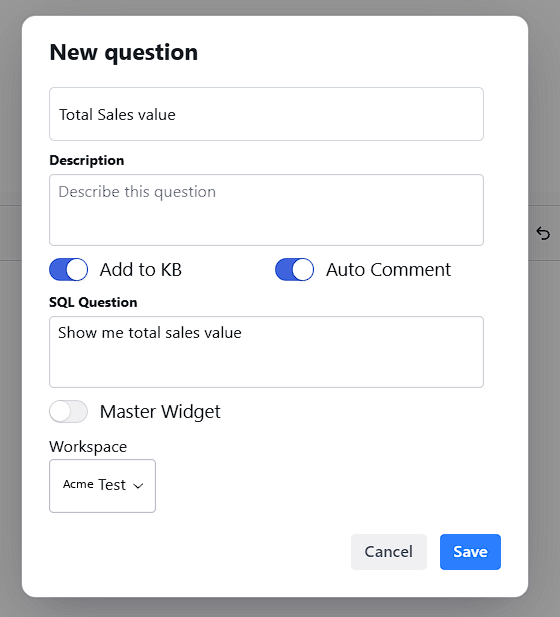
- In the first box, type the name: Total Sales Value.
- In Description, say what it shows in one sentence: "Total value of sales for the chosen year, from the main sales table."
- Turn on Add to KB. This adds the widget to FireAI's knowledge base. A SQL Question box appears.
- Turn on Auto Comment. FireAI adds its own notes explaining the widget.
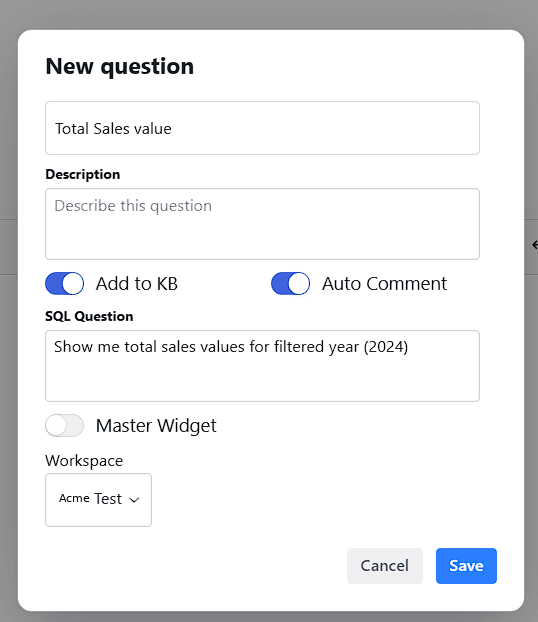
- In SQL Question, write the question this tile answers, the way your team would ask it, including the year you picked:
Type this
Show me total sales values for filtered year (2024)- Leave Master Widget off.
- Under Workspace, choose the workspace from Step 5. Select Save.
You should now see
A confirmation message, and your widget on the Widgets tab.
If a yellow warning box appears instead
Sometimes FireAI finds that your widget disagrees with a rule your organisation already set. It opens Review knowledge base conflicts and lists the problem under Flagged.
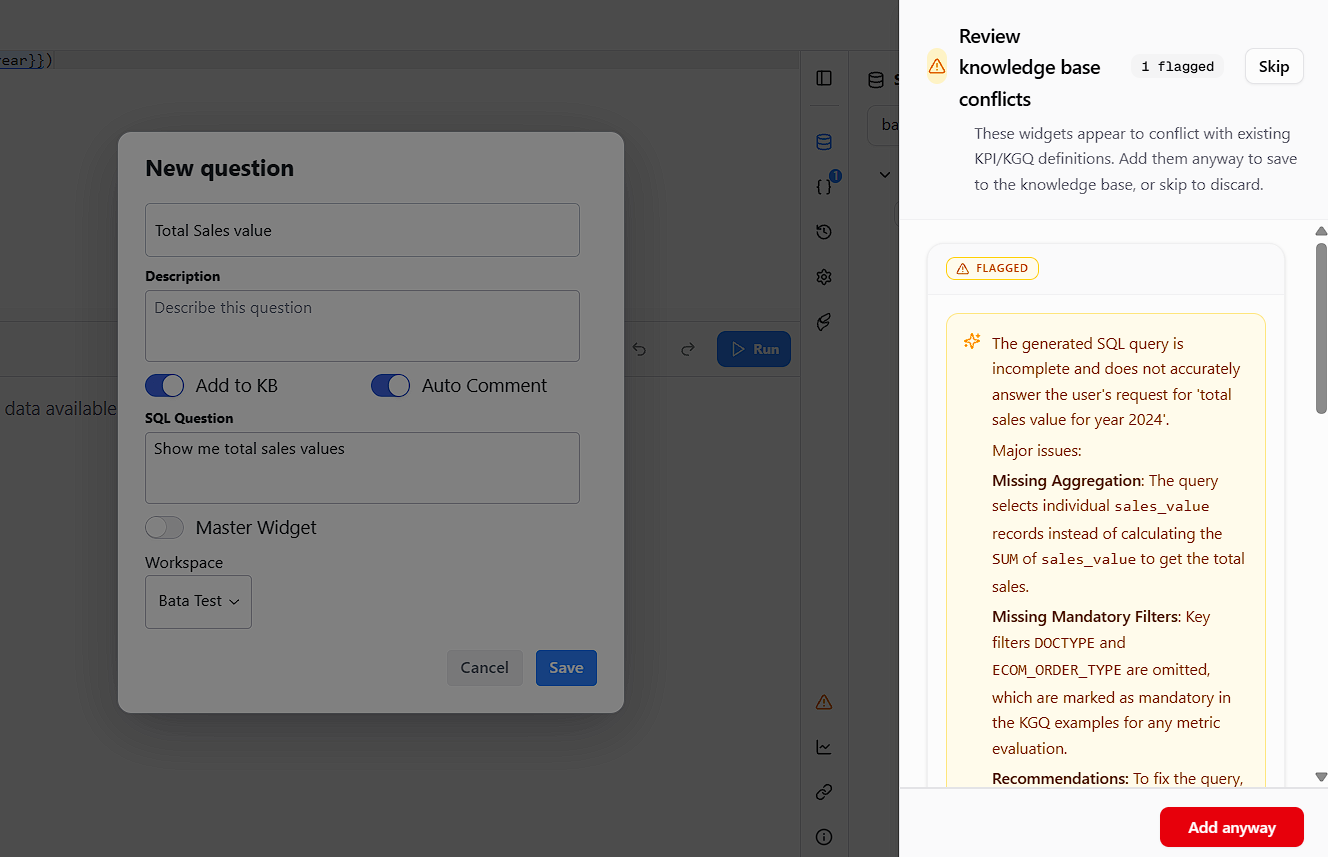
- Read what it says. The most common cause is a SQL Question that promises more than the widget does, such as "total sales" when the widget shows one year.
- Select Skip. Fix the SQL Question so it describes exactly what the tile shows, then save again.
Do not select Add anyway
It teaches FireAI something that disagrees with your own rules, and future answers will be wrong. If you cannot see the problem, send a screenshot to the FireAI team.