
Step 7 · Build
Add a filter
Add a year filter to a FireAI widget with a query placeholder, fill its dropdown from your data with a Custom Query, and check the tile against your trusted figure.
Updated September 30, 2026
A filter adds a dropdown to your tile so anyone can pick the year. One tile can then show any year.
Add the year filter
- Still in the widget editor, ask the query helper to add a year filter:
Type this
Add a filter so the user can choose the YEAR.- The query now ends with a word inside double curly brackets. That is the filter's placeholder:
What FireAI should write
SELECT SUM(sales_value) FROM sales_master WHERE YEAR IN ({{year}})Doing it by hand? Paste the line above over the old query. The part in curly brackets must be exactly {{year}}, with two brackets on each side.
Fill the dropdown from your data
- In the icon column on the right, select the { } icon. Variable Settings opens, showing a box for Year.
- Select the type dropdown beside Year (it shows Text at first).
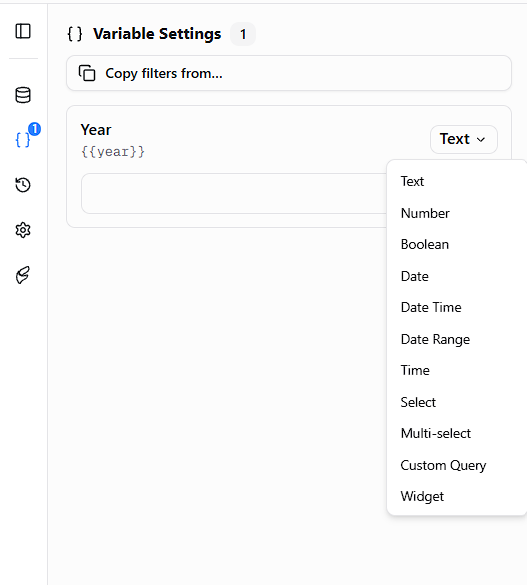
- Choose Custom Query. This fills the dropdown with the years in your data automatically.
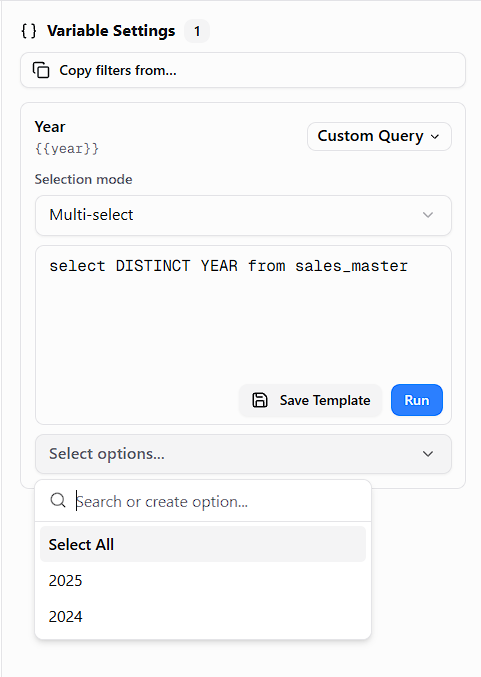
- Set Selection mode to Multi-select so people can pick more than one year.
- In the box below, paste this. It means "list every year in the table, newest first":
Copy this exactly, then change only the words in CAPITALS
SELECT DISTINCT YEAR FROM SALES_MASTER ORDER BY YEAR DESCFor our example it stays as it is. For another filter, replace YEAR with the column to list (for example channel) and SALES_MASTER with its table.
- Select Run in that box. Your years appear in a list below it.
Check the figure
- Pick 2024 from the list, then select the main blue Run button under the query.
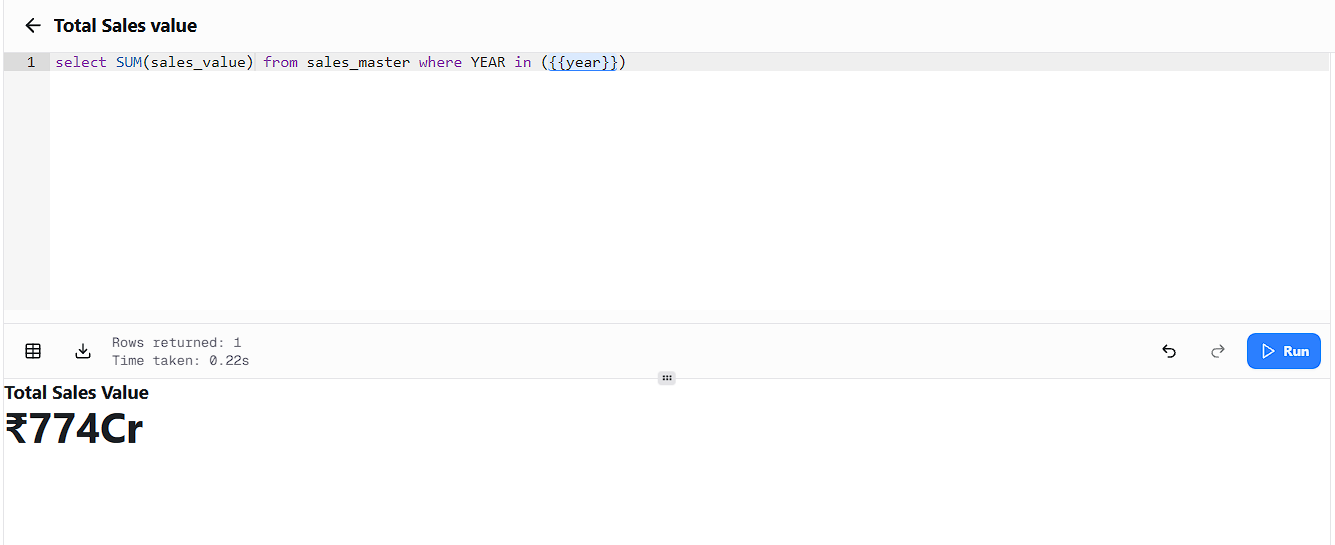
- Compare with your trusted figure for 2024 in List 1. They should match.
You should now see
Rows returned: 1 and a figure that matches your trusted number.
If the numbers do not match
Stop and do not save. Check you picked the right year and the table from Step 3. If it still differs, send both numbers to the FireAI team.
Other useful filters
| To let people pick | Ask the helper | Then set the type to |
|---|---|---|
| A date range | "Add from and to date filters on invoice_date" | Date for both |
| A sales channel | "Add a filter for channel" | Custom Query, using the template in action 7 |
| A shop they type in | "Add a filter for SHOPNO" | Text |
For every variable type and option, see Question variables.